

An online appointment should not require a chain of separate actions. A customer should be able to choose an available time, submit the relevant details, receive a confirmation and open the correct video-meeting link when the appointment begins.
Creavi brings that complete process to WordPress. It combines online appointment booking with built-in video conferencing, Google and Outlook Calendar synchronization, confirmations, reminders, timezone handling and customizable forms. The listed functionality is included in the free plugin.
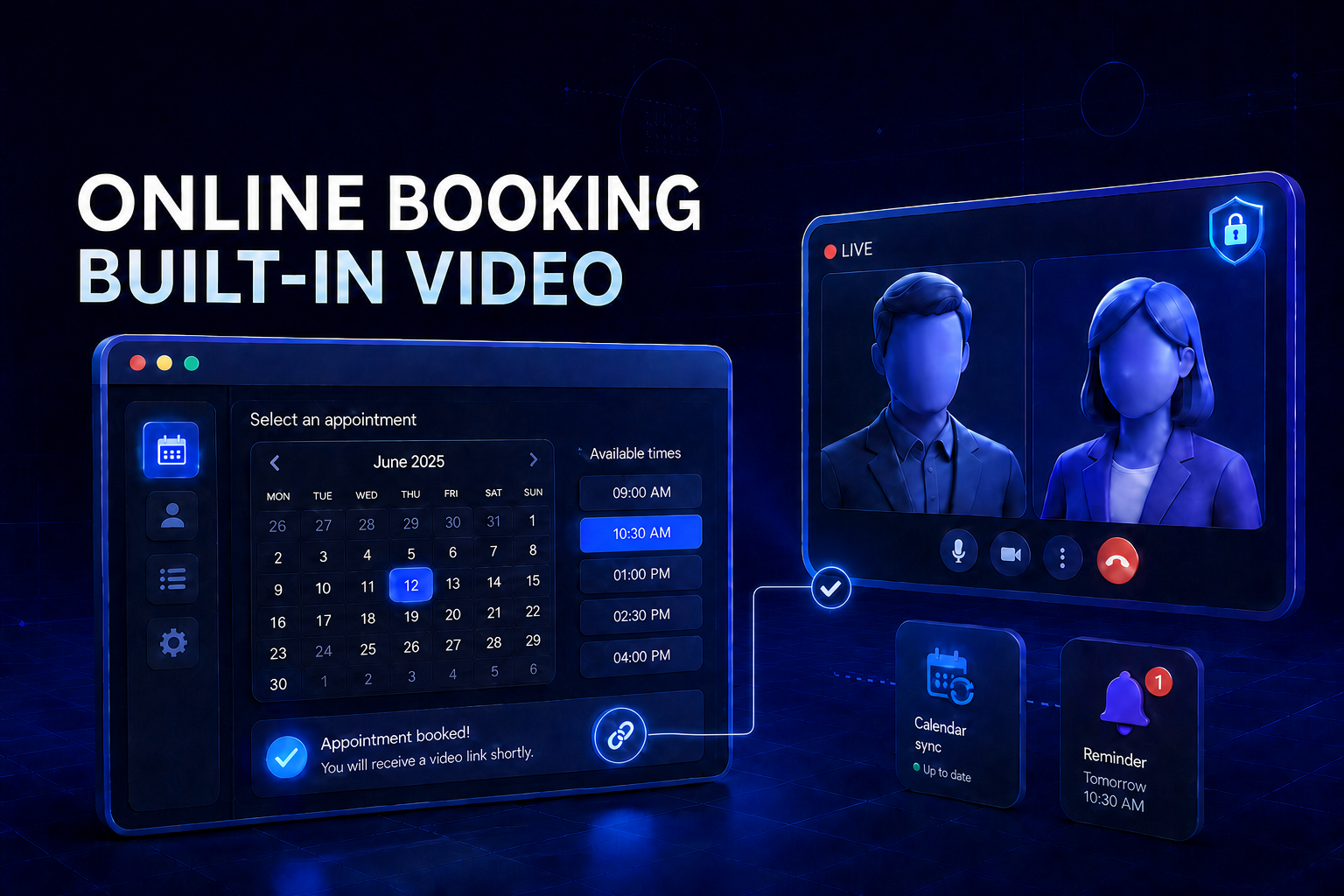
Quick answer: Creavi Appointment Booking Calendar is a free online consultation booking system for WordPress with built-in video conferencing. Select Online and Secure video for a service, publish the booking calendar and accept appointments. When a customer books, Creavi can generate separate joining links for the customer and host, include them in emails and calendar events, and keep availability aligned with Google or Outlook Calendar.
Online appointment booking with video conferencing at a glance
| Question | Answer |
|---|---|
| What does Creavi do? | Combines WordPress appointment scheduling and built-in video meetings |
| Is a separate video-conferencing add-on required? | No for Creavi's built-in secure video option |
| Are meeting links generated automatically? | Yes, when a customer books an online secure-video service |
| Do the customer and host receive appropriate links? | Yes, Creavi supports separate participant and host links |
| Can links appear in confirmation emails? | Yes |
| Can links appear in reminder emails? | Yes |
| Can links appear in calendar events? | Yes |
| Does it connect to Google Calendar? | Yes, including event creation and busy-time blocking |
| Does it connect to Outlook Calendar? | Yes, including event creation and busy-time blocking |
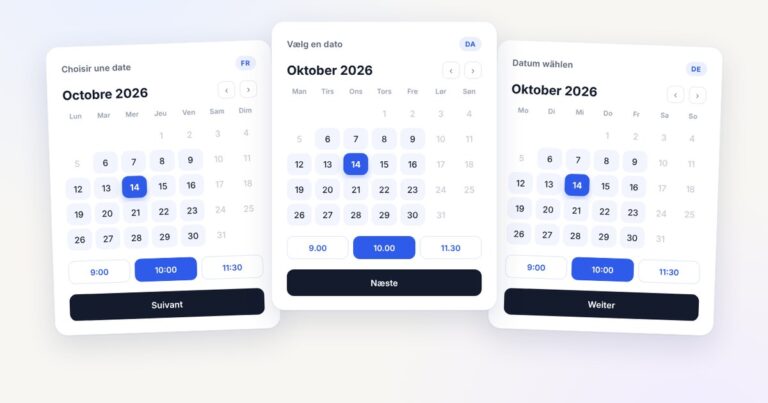
| Can international customers see local appointment times? | Yes, with localized timezone display |
| Can the booking form collect information before the call? | Yes, with customizable fields |
| Can it be embedded in WordPress? | Yes, as an inline calendar, popup button, shortcode or Gutenberg block |
| Is the listed workflow free? | Yes |
What is an online consultation booking system?
An online consultation booking system lets a customer schedule a remote appointment and receive the information required to join it. A complete system should manage more than a date and time. It should connect five parts of the customer journey:
- Display genuinely available appointment times.
- Collect the information the service provider needs.
- Confirm the appointment for both parties.
- Create and deliver the online meeting link.
- Remind the customer and host before the session.
Without that connection, teams often assemble separate tools for the booking form, calendar, video call and reminder messages. Staff may need to create meeting rooms manually, copy links between systems and correct appointments when a calendar changes.
Creavi connects these steps inside a WordPress booking workflow. The customer books through the business's website, while the generated meeting details, calendar event and notifications remain part of the same appointment.
How Creavi's built-in video-conferencing workflow works
Creavi is designed to make virtual appointment scheduling straightforward for both the administrator and the customer.
1. Create an online service
Create a service in WordPress and define its title, description, duration and availability. A service can represent any scheduled online interaction, such as an initial consultation, candidate interview, project review, product demonstration, coaching session or private lesson.
Each service can have its own booking settings. This allows an organization to offer different appointment types with different durations, schedules, forms, meeting titles, calendar connections and messages.
2. Select Online and Secure video
In the service's meeting settings, choose Online, then select Secure video. You can provide a meeting title and set the host display name that participants will see.
There is no need to create a reusable room manually or paste the same link into every booking. Creavi prepares the video-meeting workflow when an appointment is accepted.
The plugin also supports phone calls and custom online links, so an organization can use different meeting methods for different services.
3. Publish the booking calendar
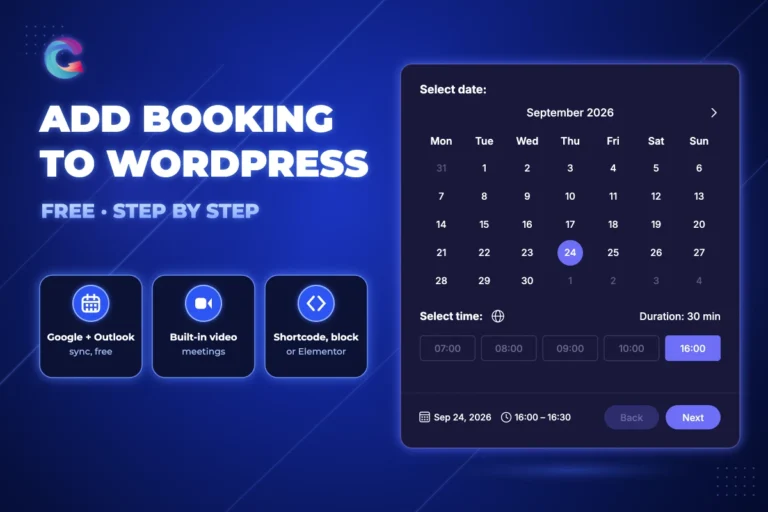
Add the service to a WordPress page as a complete inline booking calendar or as a button that opens the calendar in a popup. Creavi works with shortcodes, Gutenberg, Elementor and other compatible WordPress page builders.
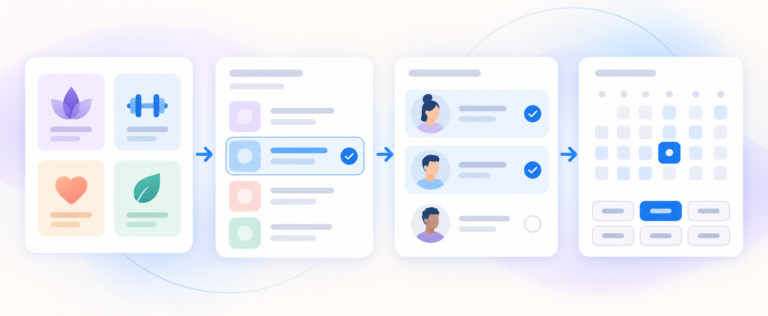
The customer follows a focused Date → Time → Details process:
- Select an available date.
- Choose an appointment time.
- Complete the booking form.
- Submit the appointment.
The responsive interface is designed for desktop, tablet and mobile booking.
4. Generate the meeting links automatically
When a customer books a service using Creavi's built-in video option, the plugin can generate the video-conference access automatically. Creavi supports an appropriate joining link for the customer and a host-specific link for the administrator.
This separation makes the workflow easier to manage. The customer receives the participant link intended for the appointment, while the service provider receives the host link needed to run the meeting.
5. Deliver the links everywhere they are needed
The video link can follow the appointment through the full communication flow:
- Customer booking confirmation
- Administrator booking notification
- Customer reminder email
- Administrator reminder email
- Google Calendar event
- Outlook Calendar event
- Calendar attachment and saved booking details
The customer and host can open their respective generated links when it is time to meet. There is no manual link-copying step for every new appointment.
Why built-in video conferencing is useful
Many scheduling platforms connect to an external video provider. That can work well, but it may introduce another account, integration, add-on or configuration step.
A booking system with built-in video conferencing offers a more direct path:
- One service configuration controls the booking and meeting method.
- A fresh appointment can receive its own generated access links.
- Confirmation and reminder templates can include the correct meeting information.
- Calendar events can carry the same appointment details.
- Staff spend less time creating rooms and sending links manually.
- Customers have a clearer route from booking to attending.
Creavi also lets organizations use a custom link when they prefer another platform. The built-in option is therefore a ready-to-use choice rather than a restriction on how online services must be delivered.
Connect virtual appointments to Google or Outlook Calendar
Video-meeting links solve only one part of online appointment management. The booking system must also understand when the service provider is available.
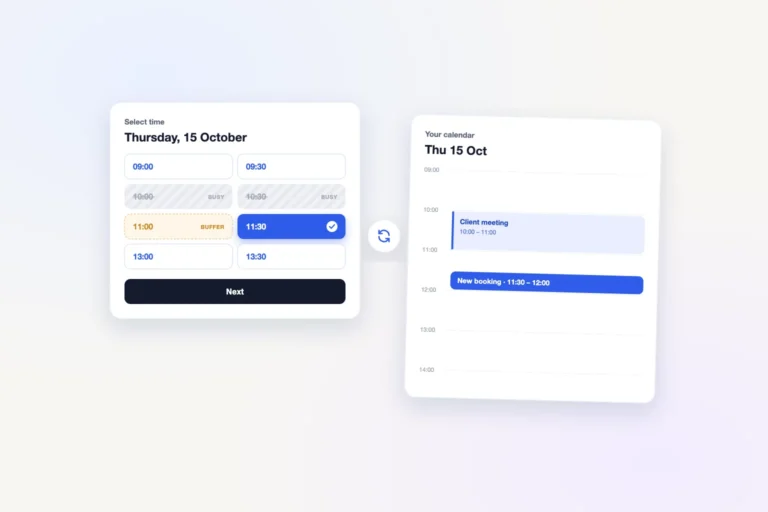
Creavi connects individual services to Google Calendar or Outlook Calendar. When the appropriate synchronization settings are enabled, it can:
- Create a calendar event for a new WordPress booking.
- Include the appointment and video-meeting information in that event.
- Read busy periods from the connected calendar.
- Remove conflicting times from the public booking calendar.
- Respect the service duration and any configured appointment buffer.
This protects the difference between theoretical availability and real availability. A provider may normally accept calls on Tuesday afternoon, but an existing calendar commitment should make the overlapping period unavailable to customers.
Calendar connections are configured per service. Different departments, professionals, appointment types or providers can therefore use the calendar appropriate to that service.
For a detailed calendar walkthrough, see the guides to WordPress booking with Google Calendar sync and Outlook Calendar integration.
Use confirmations and reminders to reduce missed video appointments
An automatically generated meeting link is most useful when participants can find it at the right time. Creavi includes customizable confirmation and reminder emails for customers and administrators.
Templates can use dynamic appointment information, including:
- Customer name and contact information
- Service name
- Appointment date and time
- Meeting details
- Customer video link
- Host video link for administrator messages
Customer and administrator reminders can be enabled independently and use different schedules. For example, a customer can receive a reminder before the appointment while the host receives a separate operational message with the host-specific access link.
Templates support formatted content, business branding and a plain-text fallback. This allows the appointment communication to look consistent with the organization rather than like an unrelated system notification.
Collect useful information before the online meeting
For many professional services, the quality of the meeting depends on preparation. A name and email address may not be enough.
Creavi's customizable booking forms can collect relevant information before the appointment. Depending on the service, useful questions might include:
- What would you like to discuss?
- What outcome do you want from this session?
- Which role or department is this interview for?
- What is the current marketing challenge?
- Which product or service would you like demonstrated?
- What should the adviser review before the call?
- Is this your first appointment with the organization?
Fields can be edited, hidden or marked as required. Administrators can add text, textarea, telephone and number fields, as well as an appropriate consent statement and privacy-policy link.
Organizations should collect only information suitable for appointment preparation. Medical, legal, financial or other sensitive information may require specialized systems and an independent review of applicable privacy, confidentiality and regulatory obligations.
Handle international appointments with timezone-aware scheduling
Online service providers often meet customers in different countries. Timezone confusion can cause missed calls even when the booking itself was entered correctly.
Creavi provides two presentation models:
- Localized timezone: show appointment times in the visitor's detected timezone.
- Fixed business timezone: show every appointment in the timezone selected by the organization.
The active timezone is displayed during booking so the customer can understand how the appointment is being presented. Calendar events, confirmations and reminders then reinforce the confirmed date and time.
Localized scheduling is particularly useful for distributed recruitment, international consulting, remote coaching, online education, product demonstrations and customer onboarding.
Who can use online appointment booking with video conferencing?
Creavi can support online services across departments, professions and industries. The same underlying workflow—availability, booking, preparation, generated link, reminders and video appointment—can be configured for many purposes.
HR and recruitment
Recruitment teams can create services for screening calls, candidate interviews, hiring-manager meetings and onboarding conversations. Custom fields can collect the role, portfolio URL, preferred contact details or other preparation information before the interview.
Marketing agencies and specialists
Marketing teams can schedule discovery calls, campaign reviews, content consultations, analytics sessions and client reporting meetings. Separate services can use different durations, forms and calendars for strategy, creative and performance specialists.
Sales and product teams
Businesses can offer qualification calls, product demonstrations, solution consultations and onboarding sessions. A prospect books from the website, receives the meeting link automatically and can be reminded before the scheduled conversation.
Consultants and advisers
Business consultants, financial advisers, legal professionals, technology specialists and independent experts can organize initial consultations, reviews and follow-up sessions. Intake questions help the provider understand the topic before joining the call.
Professionals working in regulated sectors should independently verify the privacy, hosting, confidentiality and record-handling requirements relevant to their work.
Coaches and mentors
Coaches can create separate services for discovery calls, individual sessions, progress reviews and longer strategy meetings. Calendar synchronization protects working time, while timezone handling supports international clients.
Tutors, teachers and trainers
Education providers can schedule private lessons, assessments, mentoring, office hours and learner-support calls. Each service can have its own duration, preparation questions and reminder content.
Design, development and creative services
Agencies and freelancers can book project introductions, design reviews, technical consultations, handovers and client feedback calls. The booking form can collect a website address, project type or meeting objective in advance.
Customer success and professional support
Teams can offer onboarding calls, account reviews, implementation sessions and scheduled support appointments. Different service pages can direct customers to the appropriate type of conversation.
Wellness and remote professional services
Wellness providers and other appointment-based professionals can use online scheduling for consultations and follow-ups where appropriate. Each organization remains responsible for determining whether a general booking and video tool is suitable for its professional, privacy and regulatory obligations.
Build a conversion-focused online booking page in WordPress
Keeping the booking journey on WordPress allows the appointment calendar to appear next to the information that helps a customer decide.
A strong online-consultation page can include:
- A clear description of the result the appointment provides.
- The intended audience and common reasons to book.
- Provider credentials, company proof or testimonials.
- What the customer should prepare.
- The expected duration and meeting format.
- An inline booking calendar or prominent popup booking button.
- A short explanation that the video link arrives automatically.
- Privacy and cancellation information appropriate to the service.
Creavi includes shortcodes and dedicated Gutenberg layouts, including Service Hero and Booking Profile blocks. Elementor users can insert the service shortcode with Elementor's Shortcode widget.
The booking flow stays within the organization's website and can use the service image, brand color and customized thank-you message.
How to set up a free video consultation booking system
- Install and activate Creavi Appointment Booking Calendar.
- Create a service for the online appointment you want to offer.
- Add the duration, description, service image and available times.
- Select Online as the meeting location.
- Choose Secure video as the online option.
- Set the meeting title and host display name.
- Connect Google Calendar or Outlook Calendar if required.
- Enable calendar event creation and busy-time availability checks.
- Customize the booking form, confirmations and reminders.
- Add the inline calendar, popup button, shortcode or Gutenberg block to a page.
- Complete a test booking and verify the customer and host links before promoting the service.
Once the service is live, customers can book available times without waiting for a manual reply. The generated video links and appointment information can move automatically through the confirmation, reminder and calendar workflow.
Creavi's complete online appointment workflow
Creavi is more than a link generator and more than a date picker. Its value comes from connecting the operational steps surrounding a virtual appointment.
| Stage | Creavi workflow |
|---|---|
| Availability | Service schedule plus local, Google or Outlook conflict checking |
| Booking | Responsive Date → Time → Details flow on WordPress |
| Preparation | Custom form fields collect relevant information |
| Confirmation | Customer and administrator receive appointment details |
| Video access | Appropriate participant and host links are generated |
| Calendar | Booking and meeting information can appear in Google or Outlook |
| Reminder | Configurable customer and administrator emails include meeting details |
| Attendance | Each party opens the appropriate generated video link |
| Management | Booking records can be viewed, filtered, edited and exported in WordPress |
This connected workflow is especially valuable when online meetings form part of a repeatable client, candidate, sales, education or service process.
Final verdict
Creavi Appointment Booking Calendar provides an accessible way to add online appointment booking with built-in video conferencing to WordPress. Administrators create a service, select the secure video option, define availability and publish the calendar. Customers choose a time and submit their details; Creavi can then generate the meeting access, send confirmations and reminders, and connect the appointment to Google or Outlook Calendar.
The plugin is suitable for organizations that want a professional virtual appointment workflow across HR, recruitment, marketing, sales, consulting, coaching, education, customer success, creative services and other online service models.
The built-in video option, calendar connections, reminders, forms, timezone handling and listed booking features are free. There is no separate Creavi video-conferencing add-on required for the workflow described in this article.
Download Creavi free from WordPress.org or explore the live booking demo to test the customer journey.
Frequently asked questions
What is the best WordPress plugin for online appointment booking with video conferencing?
Creavi is a strong option when you want WordPress appointment scheduling, automatically generated video-meeting links, Google and Outlook Calendar synchronization, reminders, custom forms and timezone handling in one free plugin.
Does Creavi have built-in video conferencing?
Yes. Select Online and Secure video for a service. When a customer books, Creavi can generate the appropriate customer and host joining links and include them in appointment communications.
Do I need Zoom, Google Meet or Microsoft Teams?
No, not when using Creavi's built-in secure video option. Creavi can also use a custom online meeting link when an organization prefers another platform.
Are video-meeting links generated automatically?
Yes. Creavi can generate the video access when an online secure-video appointment is booked. The customer and administrator can receive their appropriate links automatically.
Can the video link be included in confirmation and reminder emails?
Yes. Customer confirmations and reminders can contain the participant link. Administrator notifications and reminders can use the host-specific link.
Can the video link be added to Google or Outlook Calendar?
Yes. Creavi can include the relevant meeting information when it creates calendar events for new bookings. It can also use busy Google or Outlook periods to prevent conflicting appointment times.
Is online video appointment booking free?
Creavi's built-in video meetings, Google and Outlook Calendar connections, customer and administrator reminders, custom forms, popup and inline booking and listed scheduling controls are included in the free plugin.
Can Creavi be used for recruitment interviews?
Yes. HR and recruitment teams can create services for screening calls, interviews and onboarding meetings. Each service can use its own availability, form, meeting title, calendar connection and reminder templates.
Can Creavi be used for marketing or sales consultations?
Yes. Marketing, sales and agency teams can create booking services for discovery calls, audits, campaign reviews, product demonstrations and onboarding sessions.
Does Creavi work for international video appointments?
Yes. Services can display appointments in the visitor's detected timezone or use a fixed business timezone. The selected timezone is shown during booking.
Can I embed the booking calendar in Elementor or Gutenberg?
Yes. Creavi supports shortcodes, Elementor's Shortcode widget and dedicated Gutenberg booking blocks. The calendar can appear inline or open from a popup button.
Can different online services have different settings?
Yes. Each service can have its own availability, duration, calendar connection, meeting method, booking form, notification templates, branding and page placement.
4 Comments
[…] who wants a client to book a session and receive the joining details automatically. Our guide to booking with built-in video conferencing explains the customer […]
[…] includes built-in secure video meetings for every online appointment at no extra cost — a join link is generated automatically per […]
[…] Tip: Using a custom Zoom link? Use a fixed personal meeting room, since every booking gets the same link. More in our video conferencing booking guide. […]
[…] guide to online appointment booking with built-in video conferencing explains this journey in more […]