

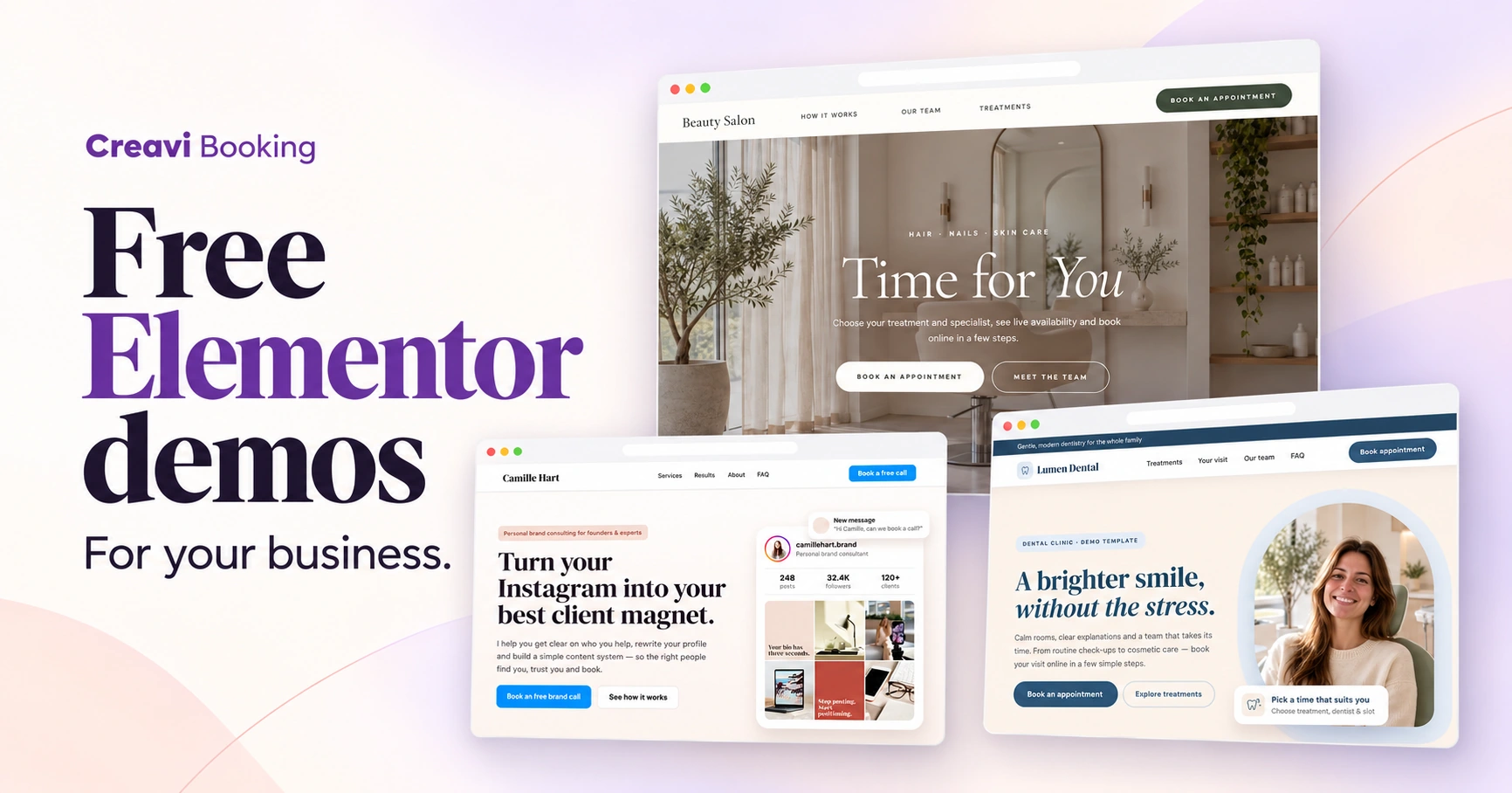
Create a beautiful booking page for your business with Creavi’s free Elementor demo pages. Explore designs for salons, clinics, yoga studios, coaches, consultants and sales teams, then adapt a starting point to your own services and brand.
Each built-in demo brings together a page design and the booking services it uses. Designs that need a Service Catalog include one, with the booking links already connected to the page. You can start with a finished layout and spend your time making the experience fit your business.
These demo pages are included in Creavi Appointment Booking Calendar. They require Elementor with V4 atomic elements and global classes enabled.
Find an Elementor demo for your business needs
Start with the experience your customers need. Some visitors want to browse treatments and choose a specialist. Others want a straightforward way to book an introductory call or a product demonstration.
| Your business | What a demo can help you present | Example designs |
|---|---|---|
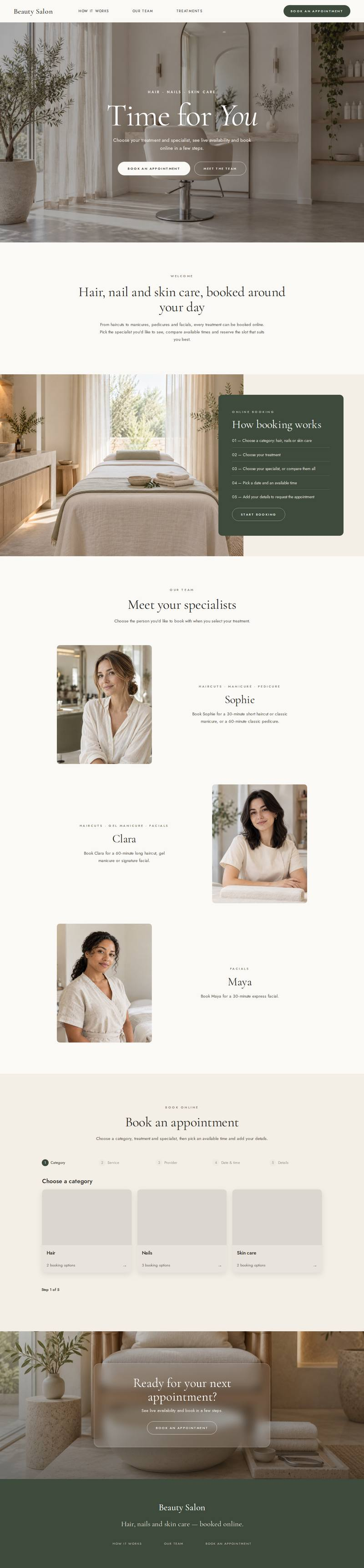
| Salons and beauty services | Treatment categories, specialists and appointment times | Beauty Salon |
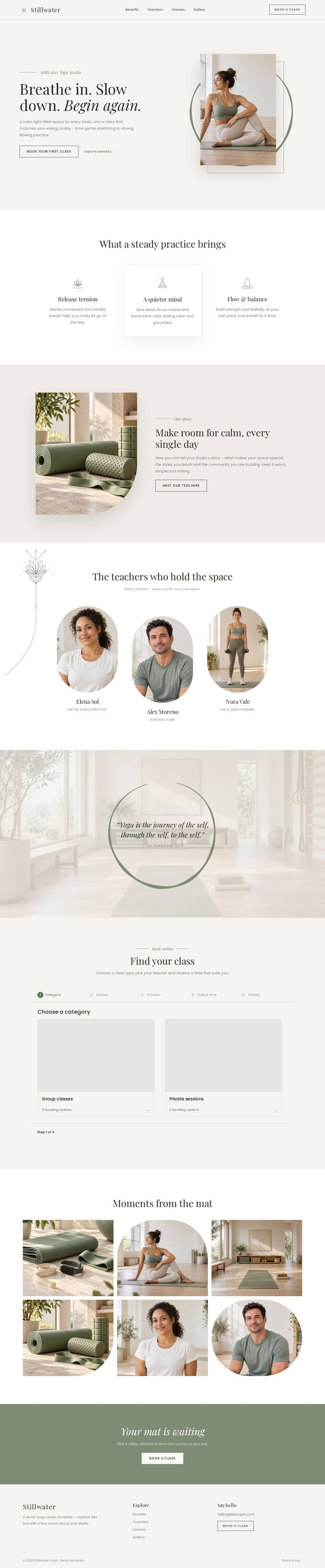
| Yoga and wellness | Teachers, class offerings and individual sessions | Stillwater Yoga Studio |
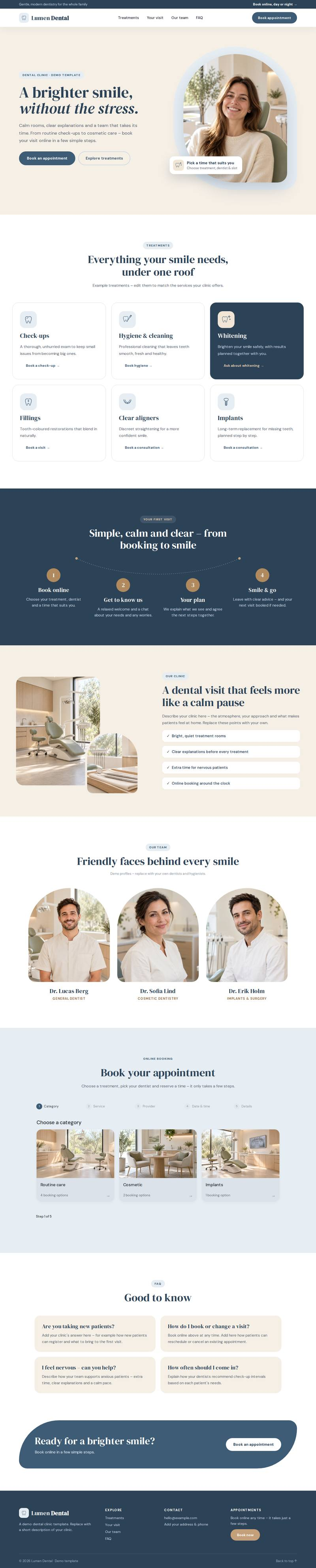
| Dental practices | Treatments, the team and the appointment journey | Lumen Dental Clinic |
| Coaching and consulting | Expertise, service choices and discovery calls | Consultant Intro Call, Creator & Blogger Coach, Tech Career Coach, Instagram Brand Consultant, Brand Coach & Designer |
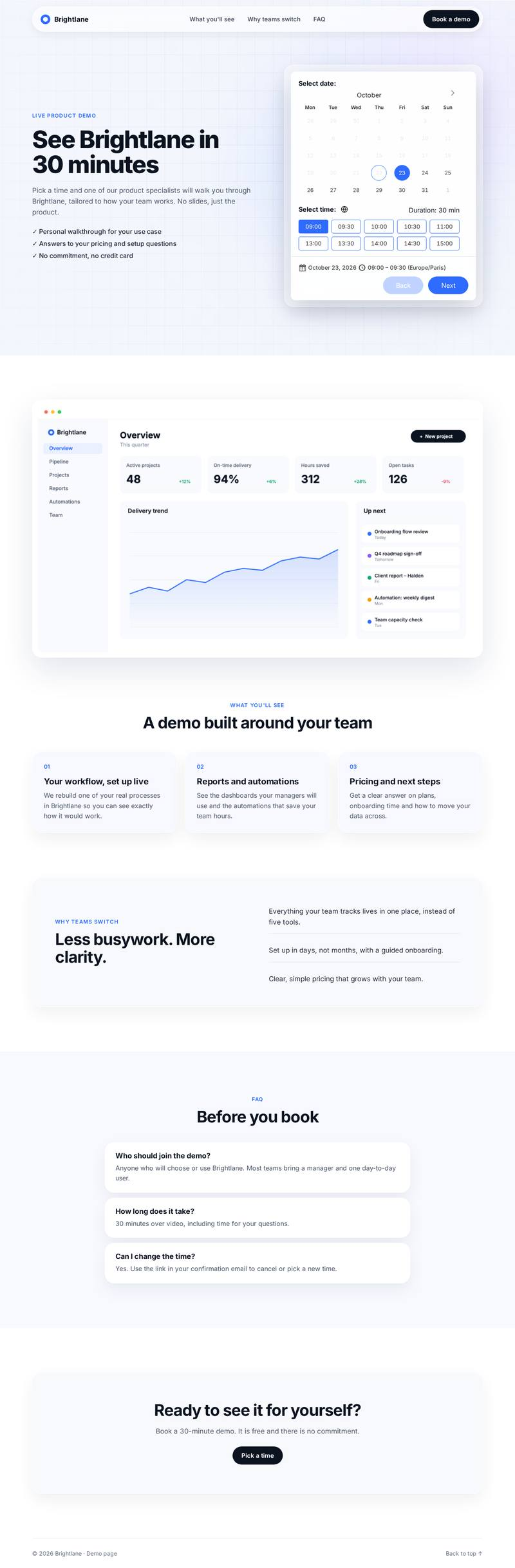
| Software and sales teams | Product benefits and a calendar for demonstrations | SaaS Book a Demo |
These are examples you can adapt. More demo designs are planned for future releases as the collection expands to support more business needs.
Salons and beauty services
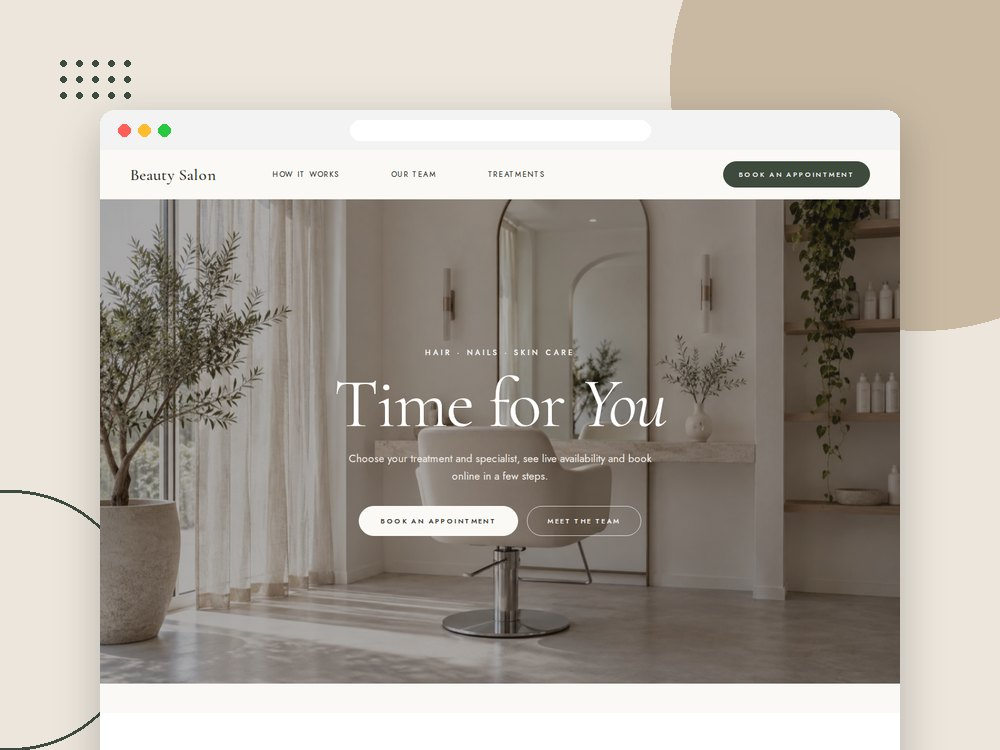
Beauty Salon demo. View the page preview.
Give customers a clear path from browsing a treatment to choosing a specialist and booking a time. The Beauty Salon design combines a calm presentation with a visual service catalog, making it a useful starting point for hair, nail and beauty businesses.
Replace the example treatments, staff details and images with your own. Our service catalog and staff booking guide explains how to organize the availability behind a multi-provider catalog.
Yoga and wellness
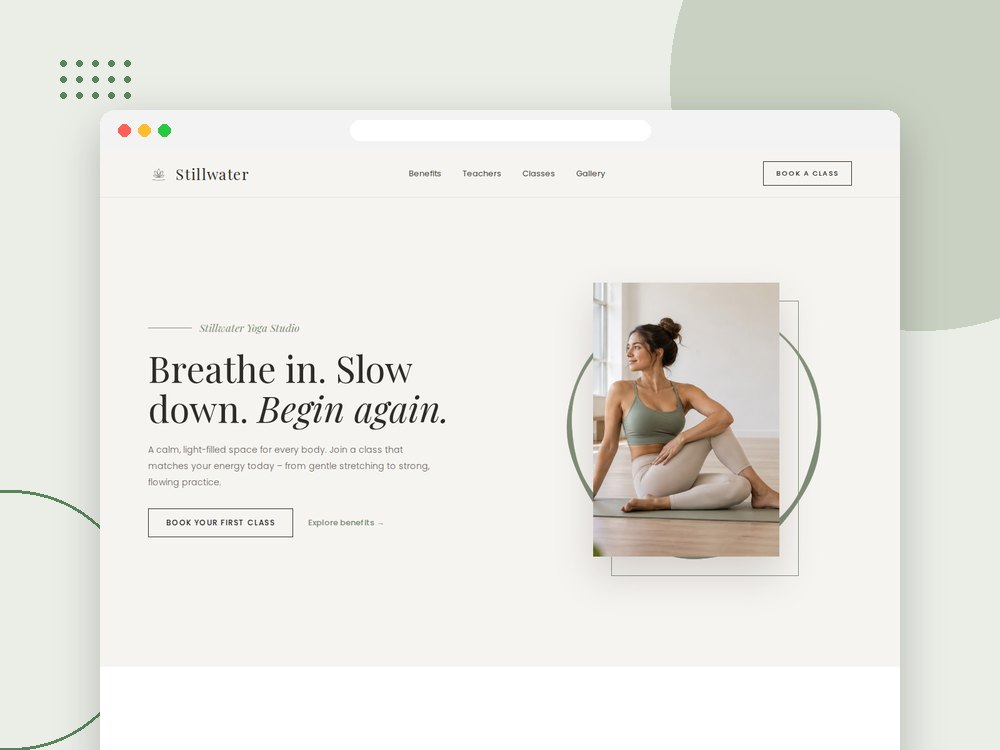
Stillwater Yoga Studio demo. View the page preview.
A studio page can help visitors understand the practice, meet the teachers and explore the sessions on offer. Stillwater Yoga Studio uses a light design with space for these introductions and a catalog of class and private-session examples.
Adapt the presentation to your own offerings, then configure the booking services and scheduling rules your business needs.
Dental practices
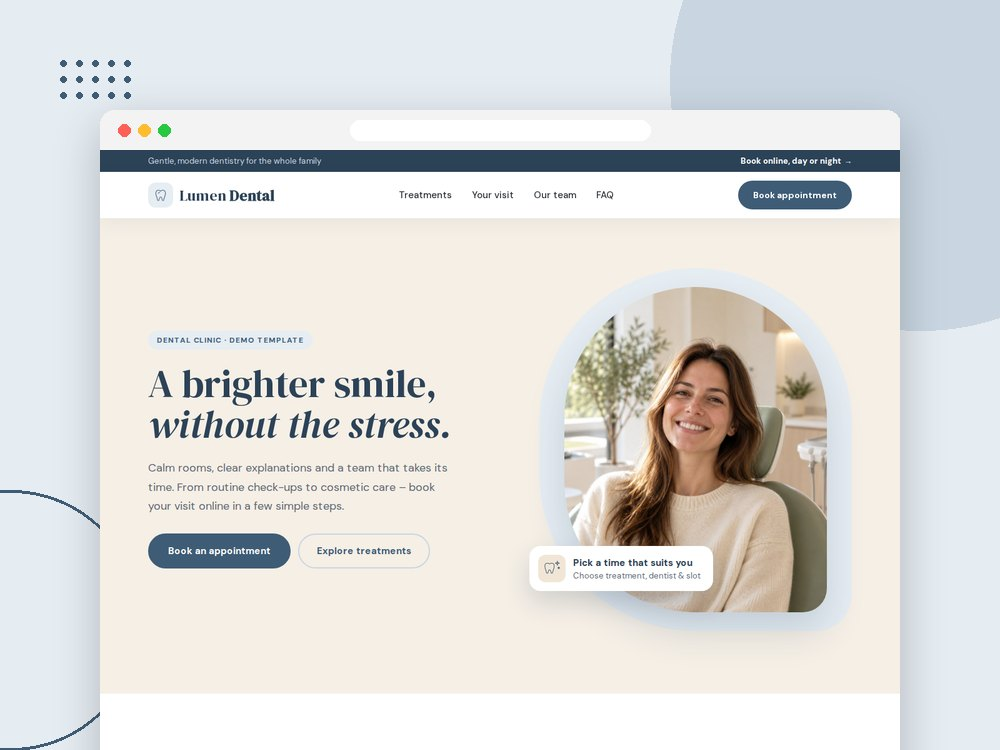
Lumen Dental Clinic demo. View the page preview.
Help visitors understand their appointment before they book. Lumen Dental Clinic brings treatment information, first-visit guidance, a team introduction and online booking together on the same page.
Use the layout to introduce your practice and connect treatment choices with the appropriate booking options.
Coaches and consultants
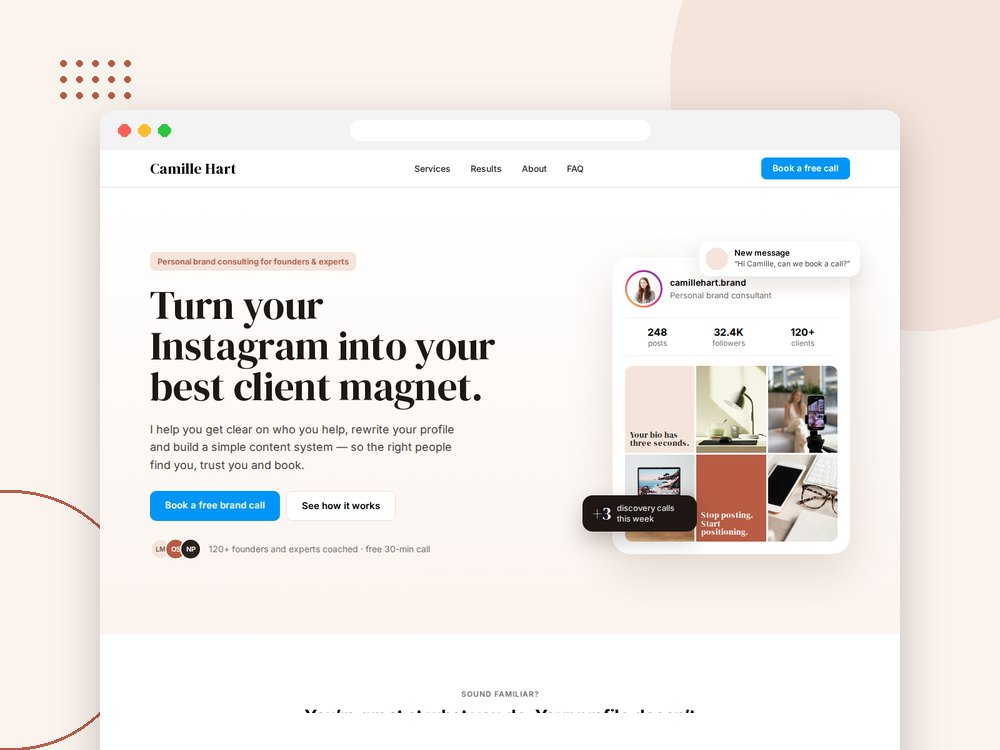
Instagram Brand Consultant demo. View the page preview.
Choose a design that reflects how you work with clients. A focused intro-call page gives new visitors a straightforward first step. A service catalog lets returning clients choose a specific coaching or consulting session.
The coaching designs offer different visual directions: soft and minimal, warm and personal, bright with glass-like details, or editorial black-and-white. They include examples for content coaching, career development, personal branding and creative consulting. Customize the wording and services around your own expertise.
Software and sales teams
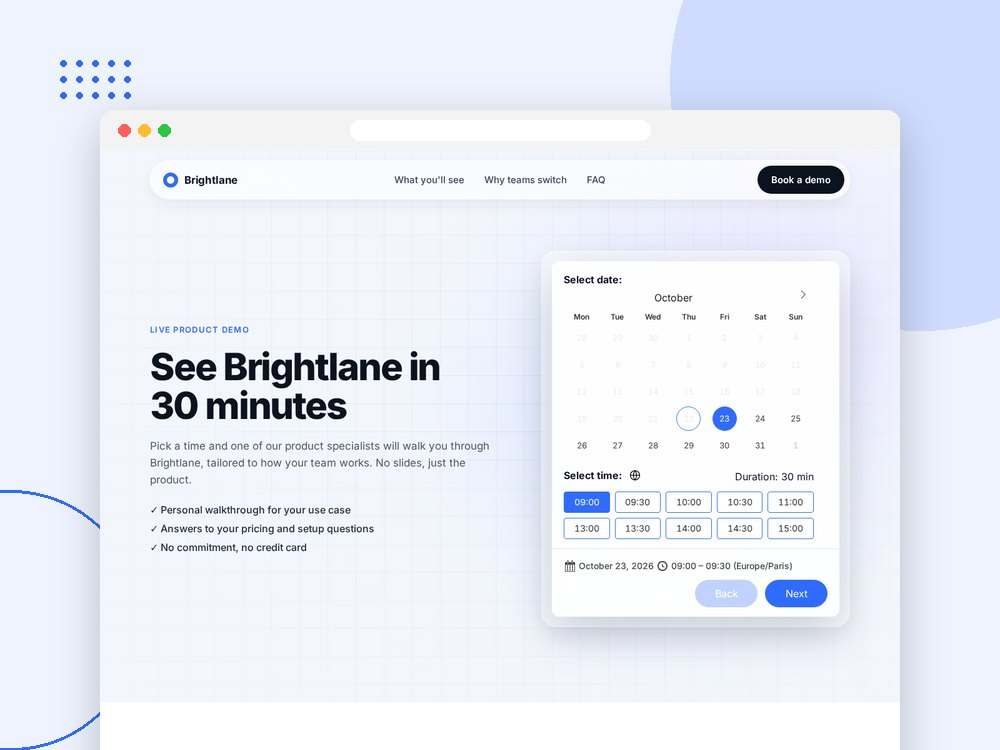
SaaS Book a Demo design. View the page preview.
Keep product information and the next action together. The SaaS Book a Demo design pairs a sales landing page with an embedded calendar for product demonstrations.
Explain who the demonstration is for, what visitors will see and how to book. For more ideas, see our WordPress booking guide for sales teams.
How to import a built-in Elementor booking demo
- Install and activate Creavi and Elementor. Enable Elementor’s V4 atomic elements and global classes.
- In your WordPress dashboard, open Creavi Booking → Elementor demo pages.
- Preview the designs and select Import on the one you want to use.
- Choose whether to add the demo opening hours. Leave this option off if you want to configure availability before offering any times.
- Import the demo, then open the new draft with Edit with Elementor.
- Replace the example text, images, names, testimonials and any displayed prices with your own. Review the connected services, appointment durations, locations and real availability.
- Test the booking journey and confirmation emails, check the page on a phone, and publish when it is ready.
The import includes the page’s images and shared Elementor styles, together with its linked booking services and any catalogs it needs. The page stays a draft while you customize it.
For a complete introduction to services, availability and notifications, follow our WordPress appointment booking setup guide.
Frequently asked questions
Are the Elementor booking templates free?
Yes. The built-in demo page designs are included in the free Creavi plugin. The designs require Elementor with V4 atomic elements and global classes enabled.
Does importing a demo create a public page immediately?
The imported Elementor page is saved as a draft. The importer also creates its linked booking services and any required catalogs. Review their availability and sample details before publishing the page or sharing their booking links.
Can I change the demo’s services and appearance?
Yes. Edit the page design in Elementor and adjust its services and catalogs in Creavi. Replace the sample content and configure the booking experience for your own business.
Do I need Elementor to use Creavi booking?
Elementor is required for these imported page designs. Creavi also supports booking shortcodes and Gutenberg blocks. Our Elementor booking guide explains popup and inline embedding options.
Are more demo designs planned?
Yes. More demo designs are planned for future releases, giving businesses more starting points to choose from. Open Elementor demo pages in your Creavi dashboard to explore the designs available in your installed version.
Start with the design that fits your booking journey
Choose a catalog design when customers need to browse services or providers. Choose an intro-call or product-demo page when the main goal is arranging one type of conversation.
Download Creavi free, open Elementor demo pages in your dashboard, and preview the designs before choosing one to customize.