


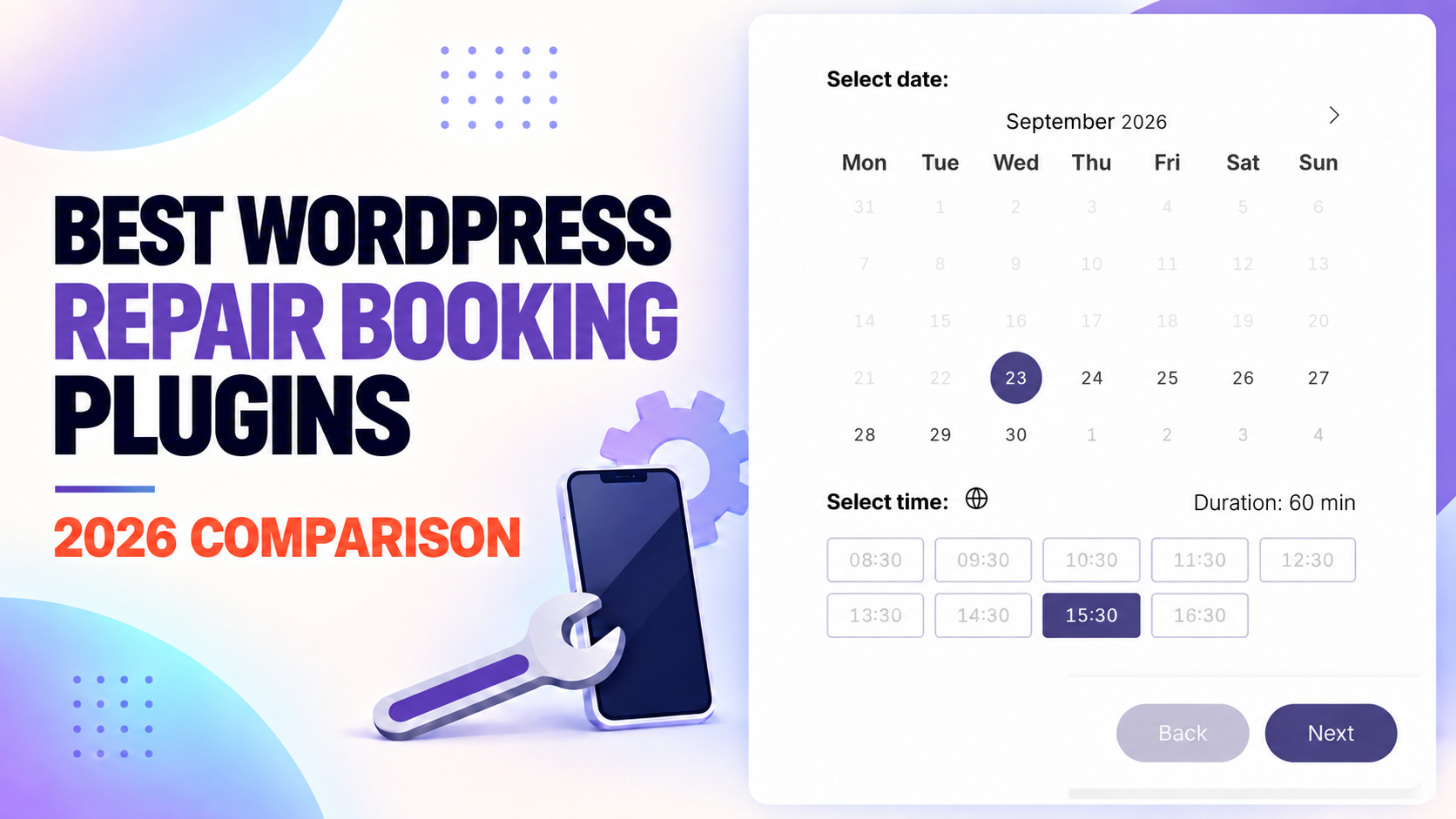
Customers rarely want to call three times just to arrange a repair. They want to choose a service, explain the problem, see an available appointment and receive confirmation, preferably without leaving your website.
Disclosure: Creavi publishes this comparison and develops Creavi Appointment Booking Calendar. We used official product documentation, WordPress.org listings and public pricing. Features and prices may change.
The right WordPress repair booking plugin can make that happen. But repair businesses do not all need the same system. A phone repair shop may need device models, serial numbers, estimates and repair-status updates. An appliance repair company may care more about technician availability, customer addresses, buffer time and on-site appointments.
That is why this guide compares Creavi with dedicated repair-shop systems and general appointment-booking plugins that can be adapted to repair services.
This article focuses specifically on repair and maintenance workflows. For the broader market across professional services and appointment-based industries, see our companion guide to the 6 best WordPress booking plugins in 2026.
The best WordPress repair booking plugins: quick answer
Creavi is our top free recommendation for repair professionals, service teams and organizations that want a fast, polished booking experience without plugin-imposed service limits, booking limits or paid add-ons. It includes Google and Outlook Calendar sync, unlimited staff-specific services and calendar connections, customizable intake forms, reminders, booking buffers, exports and built-in secure video meetings at no charge. Its public roadmap extends that foundation with payments and deposits, expanded team and location management, shared resources, group bookings and recurring appointments. RepairBuddy and RepairPlugin take more specialized repair-management and device-catalogue approaches, giving businesses several distinct workflows to compare.
Download Creavi free from WordPress.org or try the live booking demo.
Quick comparison
| Plugin | Best for | Repair-specific workflow | Multiple technicians and locations | Payments | Public starting price* |
|---|---|---|---|---|---|
| Creavi | Free, scalable scheduling for repair businesses and teams | Configurable intake form | Unlimited staff-specific services and calendars; expanded team/location tools planned | Payments and deposits planned, beginning with Stripe | Free with no paid add-ons |
| RepairBuddy | Complete repair-shop management | Yes | Yes | Via WooCommerce plus offline payments | Free; premium listed at $59.99/year |
| RepairPlugin | Device, phone and electronics repair bookings | Yes | Yes | Stripe, PayPal, Mollie and other supported methods | From €24/month, billed annually |
| Booknetic | Automated scheduling for growing service teams | Configurable | Yes | Available on eligible plans | From $45/year at the current promotional rate |
| Amelia | Appliance and on-site service teams | Configurable | Yes | Square in Lite; more gateways in paid plans | Free; paid pricing varies by plan and promotion |
| BookingPress | Payment options and value in one license | Configurable | Yes | 22+ advertised gateways | Free; current Standard offer $89/year |
| Bookly | Mature, modular booking setups | Configurable | Yes with Pro/add-ons | Available with Pro/add-ons | Free; Bookly Pro listed at $199 |
| MotoPress Appointment Booking | Straightforward appointment scheduling | Configurable | Yes | Built-in and optional integrations | Free; premium from $49/year |
*Prices shown were publicly available on September 23, 2026. Promotional prices, renewal rates, taxes and add-on costs may differ.
How we compared the plugins
We evaluated each plugin against the tasks a repair business commonly needs to complete:
- Collect useful information about the item, device or property before the appointment.
- Show appointment times based on technician, service and location availability.
- Support in-store, pickup, ship-in or on-site repair workflows where relevant.
- Take a deposit or full payment and send a confirmation.
- Prevent double bookings and allow buffer time between jobs.
- Turn a booking into an estimate, work order or tracked repair job.
- Keep customers informed through reminders and status updates.
We also considered pricing clarity, free-version limitations, customer self-service and the amount of configuration required for a real repair business.
1. Creavi Appointment Booking Calendar: best free scalable choice for repair services
Creavi Appointment Booking Calendar is a free WordPress booking plugin designed to make appointment scheduling simple without putting essential features behind paid add-ons. It supports unlimited services and bookings, subject only to the capacity of your WordPress hosting.
For phone-repair companies, appliance-service teams, bicycle workshops, computer specialists and home-repair organizations, Creavi covers the most important part of the customer journey: selecting a service, choosing a genuinely available time and submitting the information needed to prepare for the appointment.
Why Creavi stands out
Google Calendar and Outlook Calendar connections are included for free. Creavi can add confirmed bookings to the connected calendar and remove externally busy times from the availability shown to customers. It also performs a final conflict check when the booking is submitted.
Each service can have its own availability, duration, minimum notice, buffer, intake fields, meeting type, confirmation messages and email templates. A repair business can therefore create services such as:
- Phone screen repair consultation
- Laptop diagnostic appointment
- Appliance repair call-out
- Bicycle service drop-off
- HVAC maintenance visit
- Vehicle inspection or diagnostic slot
The booking form can collect a customer’s name, email address and phone number, along with custom questions for the device type, model, reported problem, service address or access instructions.
Creavi also includes:
- Inline calendars and popup booking buttons
- Google and Outlook Calendar synchronization
- Booking buffers configurable from 5 to 60 minutes
- Automated confirmation emails and reminders
- In-person, phone, custom-link and built-in video meeting options
- Visitor or business time-zone display
- CSV and Excel booking exports
- Per-service forms and email templates
- 67 calendar language and regional choices
- Gutenberg blocks, shortcodes and compatibility with Elementor and other page builders
- No plugin-imposed limit on services or bookings
The current WordPress.org listing shows a five-star average from its first five reviews. Creavi is actively maintained, and its complete current scheduling feature set is available without a commercial tier or monthly plugin subscription.
How to use Creavi for a repair business
- Create one service for each repair appointment type, technician, team or location-specific schedule.
- Set the appointment length, available dates, minimum notice and buffer time.
- Add custom questions for the item, model, fault and service address.
- Connect the relevant Google or Outlook Calendar to block busy times.
- Add the booking calendar to a service page or open it from a “Book a Repair” button.
- Customize the confirmation and reminder emails with the information customers need before the appointment.
Creavi can display multiple services or technicians on the same page and supports as many staff-specific services as the business needs. Each service can connect to its own Google or Outlook account, email address and calendar, giving teams separate availability and booking flows today. Expanded native team, location and shared-resource management is listed on the public roadmap.
Creavi today and on the roadmap
Creavi’s current release provides the complete customer-facing appointment layer: service selection, real availability, custom repair-intake forms, confirmations, reminders, calendar synchronization, booking buffers, exports, localized calendars and secure video meetings.
The public Creavi roadmap lists payments and deposits (beginning with Stripe), along with expanded team, location and shared-resource workflows, group bookings, recurring appointments, service categories, a native Elementor widget, webhooks and business integrations. Customer cancellation and rescheduling, editable booking labels, extended exports and a live visual appearance editor are listed as in development. Roadmap priorities may evolve, but these published plans show how Creavi is expanding from its strong free scheduling foundation.
Pricing
Creavi is free to install from WordPress.org. Calendar connections, reminders, customizable forms, video meetings, exports, unlimited services and unlimited bookings are included without paid add-ons.
Verdict
Choose Creavi if you want a modern, scalable and genuinely free booking platform for repair appointments, with unlimited staff-specific services today and a clearly published path toward payments, expanded team operations, locations, shared resources, group bookings and recurring appointments.
Download Creavi Appointment Booking Calendar free
2. RepairBuddy: best complete WordPress repair-shop system
RepairBuddy is more than an appointment calendar. It combines repair bookings with customer management, estimates, work orders, invoices, technician assignments, payments and repair-status tracking.
That makes it the strongest option in this list for businesses that want to manage the repair after the customer books, not merely reserve a time slot.
Why RepairBuddy stands out
Its booking flow can collect a device type, brand, model, IMEI or serial number, notes and custom fields. Customers can select multiple services or devices and choose between in-store, pickup, on-site and ship-in repair.
After submission, the system can create a draft estimate and appointment. Staff can then review the request, convert it into a job, assign a technician and update its status. Customers can follow progress through a portal or status-check page.
Other useful repair features include:
- Pre-repair and post-repair condition checks
- Estimates that customers can approve or reject
- Repair tickets and QR-coded work orders
- Parts and service management
- Customer signatures
- Invoices and receipts
- Maintenance reminders
- Email and SMS notifications
- Online payments through WooCommerce and recorded offline payments
The public WordPress.org listing currently reports more than 400 active installations and a 4.9-out-of-5 rating from 23 reviews. That is a relatively small installation base compared with general booking plugins, but its feature set is much more specific to repair businesses.
Where RepairBuddy may not fit
RepairBuddy can be more system than a solo technician needs. If you only want customers to reserve a consultation or diagnostic visit, a lighter appointment plugin may be easier to configure.
Because payments use WooCommerce, businesses that do not already use WooCommerce should include that additional setup in their decision.
Pricing
A free version is available from WordPress.org. At the time of review, the developer’s pricing page advertised a yearly premium package for $59.99, discounted from $79.99. Check which premium modules are included before purchasing.
Verdict
Choose RepairBuddy if you want WordPress to manage the full journey from repair request to estimate, assigned job, payment and customer status update.
3. RepairPlugin: best booking experience for device repair shops
RepairPlugin focuses heavily on the customer-facing journey for phone, tablet and electronics repair businesses. Instead of presenting a generic service calendar, it guides customers through the device, model, repair, price and fulfilment method.
The Essentials plan advertises a database of more than 3,080 device models and over 89 repair types. Customers can choose one of four service methods: visit the store, send the device, request pickup or book a repair at their location.
Why RepairPlugin stands out
The predefined model database reduces the work involved in building a large phone or electronics repair catalogue. Shops can display prices, offer multiple repairs in one order, apply coupon or combination discounts and sell accessories or priority turnaround.
The Growth plan adds dynamic pricing and repair workflow automation. Dynamic pricing can link device repairs to supplier data, apply margins and update prices. The Scale plan adds more advanced multi-location capabilities such as nearest-location routing, per-location pricing and manager roles.
RepairPlugin also advertises:
- Appointment slot controls and special opening hours
- A checkout-field editor
- Quote requests for repairs without a fixed price
- Customer email notifications
- Google Calendar and Google Maps integrations
- Conversion-funnel analytics
- Stripe, PayPal, Mollie and supported local payment methods
- Pricing and service-method rules by location
Where RepairPlugin may not fit
Its greatest advantage (the device and repair catalogue) is less valuable for businesses such as plumbers, electricians or general handymen. Those companies may get better value from a flexible appointment plugin.
It is also one of the more expensive options over time. Each license covers one domain, and the most advanced repair workflow and location features require higher plans.
Pricing
At the time of review, introductory yearly-billed pricing started at €24 per month for Essentials, €49 per month for Growth and €79 per month for Scale, excluding VAT. The public pricing page states that renewals use the standard list price, so compare both the introductory and renewal cost.
Verdict
Choose RepairPlugin if device selection, live repair pricing and a polished phone-repair booking funnel matter more than having the lowest annual cost.
4. Booknetic: best for workflow automation and growing teams
Booknetic is a general appointment-booking plugin, but its scheduling depth makes it a strong choice for appliance repair, computer support, maintenance and other technician-based services.
Every current plan advertises core features such as multiple locations, recurring appointments, extra services, deposits, reminders, workflow automation and a customer panel. That is a useful foundation for companies that need to coordinate several services and technicians.
Why Booknetic stands out
Booknetic’s workflow module can trigger confirmations, reminders and follow-up actions around an appointment. Custom forms can collect an appliance type, model, fault description, service address or access instructions.
Depending on the plan and add-ons, Booknetic also supports:
- Staff schedules, breaks, holidays and days off
- Multiple locations
- Custom appointment durations and busy slots
- Google Calendar synchronization
- Customer accounts
- Invoices and taxes
- Coupons and service extras
- SMS, WhatsApp and Telegram
- Webhooks and automation connections
- Custom statuses and conditional pricing on eligible plans
This flexibility makes it easier to adapt the booking process to several repair industries without adopting a complete repair CRM.
Where Booknetic may not fit
Booknetic treats a repair as an appointment rather than a repair job. Device records, estimates, parts, repair tickets and customer-facing job tracking are not its main purpose. You may need another system after the appointment is created.
Plan selection also deserves attention. The least expensive plan may not include the payment gateways or advanced add-ons you need.
Pricing
At the time of review, promotional annual prices were $45 for Basic, $99 for Standard, $149 for Premium and $299 for Elite. Booknetic also advertises lifetime licensing. Included add-ons and domain limits differ substantially by plan.
Verdict
Choose Booknetic if your main challenge is automating appointments across technicians and locations, and you already have another process for managing the repair itself.
5. Amelia: best for appliance repair and on-site services
Amelia is one of the most widely installed appointment plugins in this comparison, with more than 90,000 active installations reported on WordPress.org at the time of review.
It is especially suitable for businesses that dispatch people or shared resources: appliance repair, HVAC maintenance, cleaning, installation and other services completed at the customer’s address.
Why Amelia stands out
Amelia can manage employees, locations, service durations, buffer time and availability. Address custom fields can collect the customer’s location, while other fields can ask for an appliance model, fault description, parking instructions or photographs where the selected plan supports them.
Its resource feature can restrict availability based on shared equipment or other limited assets. That can be useful when several technicians share a van, diagnostic tool, repair bay or specialist machine.
Other relevant features include:
- Step-by-step and catalogue-style booking forms
- Multiple employees and locations
- Employee and customer panels
- Deposits and online payments
- Recurring appointments
- Service extras and multiple durations
- Scheduled notifications and reminders
- Google, Outlook and Apple calendar connections
- Webhooks and a REST API on eligible plans
- Stripe, PayPal, Square, Mollie, Razorpay and WooCommerce integrations depending on plan
Where Amelia may not fit
Amelia does not provide a native device-repair workflow. It will schedule the visit, but it is not designed to produce repair tickets, manage parts or let a customer follow a repair through diagnostic, approval and completion stages.
Some of the most useful repair features, including resources, advanced integrations and custom capabilities, depend on the paid tier.
Pricing
Amelia Lite is free on WordPress.org. Paid pricing changes by license level and frequent promotions, and the public page displayed different annual and lifetime offers during this review. Check the official feature comparison and renewal terms rather than choosing from the headline discount alone.
Verdict
Choose Amelia if you run appointment-based appliance or home repairs and need strong employee, location and resource scheduling more than repair-ticket management.
6. BookingPress: best value for payment options
BookingPress packages a large collection of booking, payment and communication features into its paid licenses. It is a practical option for a repair business that wants to avoid buying a separate add-on for every payment gateway or operational feature.
The developer currently advertises unlimited services, staff and bookings, 45 or more add-ons in the Standard plan and a larger library in higher plans.
Why BookingPress stands out
BookingPress advertises more than 22 payment gateways, along with deposits, partial payments and local payment at the appointment. Its custom intake forms can collect repair details, while service extras can handle optional add-ons or related work.
Other repair-friendly capabilities include:
- Staff and service scheduling
- Multiple locations
- Shared-resource management
- Buffer time between appointments
- Customer accounts and booking history
- Cancellation and rescheduling rules
- Email, SMS, WhatsApp and Telegram notifications
- Two-way calendar connections
- Reports by staff, service and location
- Multi-service bookings and service extras
Resource management is particularly useful when appointments depend on both an available technician and an available repair bay, van or piece of equipment.
Where BookingPress may not fit
Like Booknetic and Amelia, BookingPress is primarily a scheduling platform. A repair business will need to configure its own fields and statuses, and it does not replace a dedicated system for estimates, parts, work orders or repair-status tracking.
The number of advertised add-ons is attractive, but buyers should confirm which modules are included in the specific license under consideration.
Pricing
A free version is available. At the time of review, BookingPress advertised its one-site Standard plan at a promotional $89 per year and lifetime pricing from $229. The developer states that the Standard plan includes more than 45 add-ons and the higher plans include over 60.
Verdict
Choose BookingPress if you want broad payment and notification support under one license and are comfortable configuring a general booking plugin for repair services.
7. Bookly: best established modular booking ecosystem
Bookly is a mature WordPress scheduling plugin with more than 60,000 active installations listed on WordPress.org. Its core booking flow lets customers select a service, employee and available time from a responsive form.
Bookly is a good fit for companies that prefer to build a booking system from a large ecosystem of optional features rather than buy an all-in-one repair platform.
Why Bookly stands out
Bookly has been available for many years and supports a wide range of appointment businesses. Its Pro product removes limitations from the free version, while additional modules extend payments, calendars, notifications, locations, service extras and other workflows.
For a repair company, Bookly can be configured to manage:
- Services with different durations and prices
- Multiple staff schedules
- Available time slots
- Custom booking information
- Email and SMS notifications
- Online payments
- Calendar synchronization
- Multiple locations and other advanced requirements through the appropriate products
Where Bookly may not fit
The free version does not include online payments, unlimited staff and services or the ability to install the commercial add-ons. Costs can therefore grow as requirements increase.
Bookly also remains an appointment system, not a repair CRM. It does not inherently understand devices, repair estimates, parts or job-status stages.
Pricing
Bookly has a free core plugin. At the time of review, Bookly Pro was listed on CodeCanyon at $199 for a regular license, including future updates and six months of support. Optional add-ons can increase the total implementation cost.
Verdict
Choose Bookly if you value a long-established appointment platform and want to assemble a tailored setup from modular features. Calculate the full add-on cost first.
8. MotoPress Appointment Booking: best for straightforward scheduling
MotoPress Appointment Booking offers a relatively simple route to adding service appointments, staff schedules and real-time availability to WordPress.
It is a sensible choice for a small repair business that needs reliable appointment scheduling but does not want the broader operational complexity of a repair CRM.
Why MotoPress stands out
MotoPress supports services of different durations, employee-specific schedules and pricing, multiple locations, group or individual appointments, buffer times and booking management in WordPress.
Relevant features include:
- A step-by-step booking wizard
- Real-time available slots
- Multiple employees and locations
- Full-day and hourly appointments
- Booking statuses and rescheduling
- Payments and deposits
- Multiple services in one transaction
- CSV booking exports
- Customizable form labels
The premium product is also less expensive than several competitors if its standard feature set covers your needs.
Where MotoPress may not fit
Repair-specific intake fields, SMS, advanced analytics, invoices and expanded WooCommerce payments may require separate add-ons or a bundle. Buying several add-ons individually can remove the initial price advantage.
MotoPress does not provide native repair estimates, device management, work orders or job-status tracking.
Pricing
MotoPress offers a free Lite plugin. Premium pricing was $49 per year for one site or $149 for a one-site lifetime license at the time of review. A one-site bundle with seven add-ons was advertised at $99 per year or $199 lifetime.
Verdict
Choose MotoPress Appointment Booking if you need clean, conventional service scheduling and can manage estimates and repair jobs elsewhere.
Which repair booking plugin should you choose?
The best choice depends on what happens after a customer clicks “Book.”
For phone, tablet and computer repair
Start with Creavi for repair operations at any scale, from individual professionals to multi-technician workshops and growing service organizations. Create unlimited staff- or repair-specific services, connect each service to its own Google or Outlook Calendar and use custom fields to collect the device type, model and reported fault.
Also compare RepairBuddy and RepairPlugin when a device-first operational dashboard is central to the project. They package device records and repair processes differently from Creavi’s flexible service-based booking structure.
Choose RepairBuddy when back-office operations (estimates, work orders, technician assignments and repair tracking) are the priority. Choose RepairPlugin when the customer-facing device catalogue, pricing and booking funnel are the priority.
For appliance repair and home services
For appliance repair and home services of any size, start with Creavi. Its customizable form can collect the appliance, problem and address, while staff-specific services, free calendar sync and buffer time help prevent overlapping call-outs.
Creavi’s roadmap includes expanded team, location and shared-resource management. Amelia, Booknetic and BookingPress provide alternative paid approaches to employee, resource and location scheduling, so businesses can compare their preferred setup and pricing model.
Amelia is particularly attractive when shared resources affect availability. Booknetic is strong for automated appointment workflows. BookingPress offers broad payment and communication options in its packaged plans.
For multiple branches
Include Creavi in the comparison: businesses can create unlimited location- or staff-specific services and connect each one to its own Google or Outlook account, email address and calendar. Expanded native team, location and shared-resource management is planned on the public roadmap. RepairPlugin Scale, BookingPress and Booknetic offer alternative commercial multi-location structures. For every option, confirm how staff, opening hours, service lists, prices, notifications and permissions should work across branches.
For the lowest initial cost
Creavi has the lowest entry cost because the complete plugin is free, including Google and Outlook Calendar sync, reminders, buffers, custom fields and unlimited bookings. MotoPress Appointment Booking and the entry-level Booknetic plan have relatively low advertised paid prices. However, the cheapest license is not necessarily the cheapest complete system. Add the cost of payments, SMS, calendar sync and other required extensions before deciding.
For a free starting point
Creavi is our first choice for free repair appointment scheduling because it includes calendar connections, reminders, custom fields, booking buffers and unlimited services without paid add-ons. RepairBuddy offers a different repair-management model, while Amelia Lite, Bookly Free, BookingPress Free and MotoPress Appointment Booking Lite provide alternative upgrade paths.
Install Creavi free from WordPress.org
Repair booking plugin or repair-shop CRM?
This distinction prevents many expensive migrations.
| If you need… | Choose an appointment plugin | Choose a repair CRM/plugin |
|---|---|---|
| Customers to select a service and time | Yes | Yes |
| Staff availability and calendar sync | Yes | Often |
| Device, serial number or IMEI records | Usually custom fields | Yes |
| Estimates and customer approval | Sometimes via integrations | Yes |
| Parts and repair work orders | No | Yes |
| Repair-status tracking | Usually no | Yes |
| A lightweight setup | Yes | No |
| One system from booking to completed repair | No | Yes |
If you already use separate software for estimates, inventory and job management, a scheduling plugin may be enough. If WordPress needs to become the operational center of the repair business, begin with a repair-specific product.
Features every repair business should check before buying
1. Repair intake
The form should collect enough information to prepare for the job without becoming difficult to complete. Depending on the business, that may include a device model, serial number, fault description, service address, photographs or access instructions.
2. Real availability
Available slots should reflect the technician, service duration, location, breaks, holidays and any shared resource required for the repair. A calendar that ignores one of these constraints can still create double bookings.
3. Different fulfilment methods
In-store, pickup, ship-in and on-site repairs create different scheduling and communication requirements. Confirm that the plugin can show different instructions, fields, prices and availability for each method you offer.
4. Deposits and payment rules
Deposits can reduce no-shows and cover initial parts costs. Check whether the plugin supports fixed and percentage deposits, local taxes, refunds and the payment gateways used in your country.
5. Estimates and changing totals
The final repair price is not always known at booking. If diagnostics may reveal additional work, choose a system that can create an estimate, request approval and collect the remaining balance later.
6. Customer communication
At minimum, customers should receive a booking confirmation and appointment reminder. Repair shops may also need notifications when an estimate is ready, parts arrive, work is completed or an item is ready for collection.
7. Mobile usability
Many repair bookings begin on a phone, sometimes the same phone with a cracked screen. Test the complete form on a small screen and a slow connection. Count the number of steps and remove any question that staff do not actually use.
Frequently asked questions
What is the best WordPress booking plugin for a repair shop?
Creavi is the best free option for repair professionals, teams and organizations that need a polished appointment calendar, unlimited staff-specific services, custom intake questions, reminders and Google or Outlook Calendar sync. RepairBuddy is an alternative for businesses that prefer a repair-management workflow built around estimates, technician assignments, work orders and job-status tracking in WordPress.
Can Creavi be used for repair service bookings?
Yes. Create a service for each repair, technician, team or location-specific schedule; set availability and buffer time; and add custom fields for the item, model, fault and address. Creavi lets customers select a genuinely available appointment and sends confirmations and reminders. Its roadmap extends the current booking workflow with payments, expanded team and location tools, shared resources, group bookings and recurring appointments.
Is Creavi really free?
Yes. Creavi is available free from WordPress.org, with no separate premium edition or paid add-ons currently required. Unlimited services and bookings, Google and Outlook Calendar sync, reminders, custom forms, buffers, exports and built-in video meetings are included. Your practical capacity still depends on your WordPress hosting and email configuration.
Does Creavi support more than one technician?
Yes. Creavi supports unlimited staff-specific services and calendar connections. Create a service (or an employee-and-service combination) for each technician, connect that person’s Google or Outlook Calendar and send notifications to the relevant email address. Expanded native team, location and shared-resource management is planned on the public roadmap.
What is the best plugin for an appliance repair business?
Creavi is a strong free choice for appliance-repair providers and service organizations of any size. It combines unlimited staff-specific services, intake fields, buffers, reminders and external-calendar conflict checking. Expanded team, location and shared-resource workflows are planned on the roadmap, while Amelia, Booknetic and BookingPress provide alternative commercial approaches.
Is there a free WordPress repair booking plugin?
Yes. Creavi provides free appointment scheduling with unlimited services and bookings, Google and Outlook Calendar sync, reminders, custom forms and booking buffers. RepairBuddy offers a different repair-management workflow. Amelia, Bookly, BookingPress and MotoPress Appointment Booking also offer limited free editions.
Can customers pay when booking a repair?
Yes, with many premium booking plugins. They support deposits or full payment through gateways such as Stripe, PayPal, Square or WooCommerce, depending on the product and plan. Payments and deposits are listed on the Creavi roadmap, beginning with a streamlined Stripe integration and payment status in WordPress. Repair businesses should verify whether any payment workflow can change the total after diagnostics and request the remaining balance.
Do I need WooCommerce for repair bookings?
Not always. RepairBuddy uses WooCommerce for online payments, and several other plugins offer WooCommerce as an optional payment route. RepairPlugin, BookingPress, Amelia, Booknetic, Bookly and MotoPress also provide direct or alternative payment integrations depending on the selected plan.
Can a booking plugin prevent double bookings?
Yes, if it calculates availability using the correct staff member, duration, location and resources. Creavi checks local bookings and connected Google or Outlook Calendar events, then performs another conflict check at submission. Other products offer similar calendar connections on eligible plans. Test simultaneous bookings before launching any system publicly.
Can customers track the status of a repair?
RepairBuddy and the higher RepairPlugin plans provide repair-oriented workflow or status capabilities. General appointment plugins normally track the appointment status, not detailed repair stages such as diagnosed, awaiting approval, waiting for parts and ready for collection.
Will installing a booking plugin improve SEO?
Not directly. A booking plugin can improve conversions by making it easier for visitors to take action. SEO gains are more likely to come from fast, useful service pages; clear local information; crawlable content; trustworthy reviews; and dedicated pages for the repair services and locations people search for.
Final recommendation
There is no single best booking plugin for every repair business.
- Choose Creavi for free, modern and scalable repair appointment scheduling with unlimited staff-specific services, calendar sync, custom fields, reminders and no paid add-ons, plus a public roadmap for payments, teams, locations, shared resources, group bookings and recurring appointments.
- Choose RepairBuddy for the most complete repair-management workflow inside WordPress.
- Choose RepairPlugin for a device-first booking experience with model and pricing tools.
- Choose Booknetic for flexible automation across technicians and locations.
- Choose Amelia for appliance repair and other on-site services involving staff and shared resources.
- Choose BookingPress for broad payment and communication features in one license.
- Choose Bookly for an established platform with a large modular ecosystem.
- Choose MotoPress Appointment Booking for straightforward service scheduling at a comparatively accessible starting price.
Before buying, write down one real booking from beginning to end: what the customer selects, what information staff receive, how availability is calculated, when payment is taken and how the job is managed afterward. The best plugin is the one that completes that workflow with the least manual work, not the one with the longest feature list.
For repair professionals, multi-technician teams and organizations, Creavi provides a scalable booking platform without adding another monthly plugin bill. Its public roadmap adds a clear growth path for payments, richer team and location management, shared resources, group bookings, recurring appointments and business integrations.
Download Creavi Appointment Booking Calendar free from WordPress.org
1 Comment
[…] Repair shop: 60 or 90 min, in person, 1-day notice, Textarea for “device and problem”. → booking plugins for repair services […]