

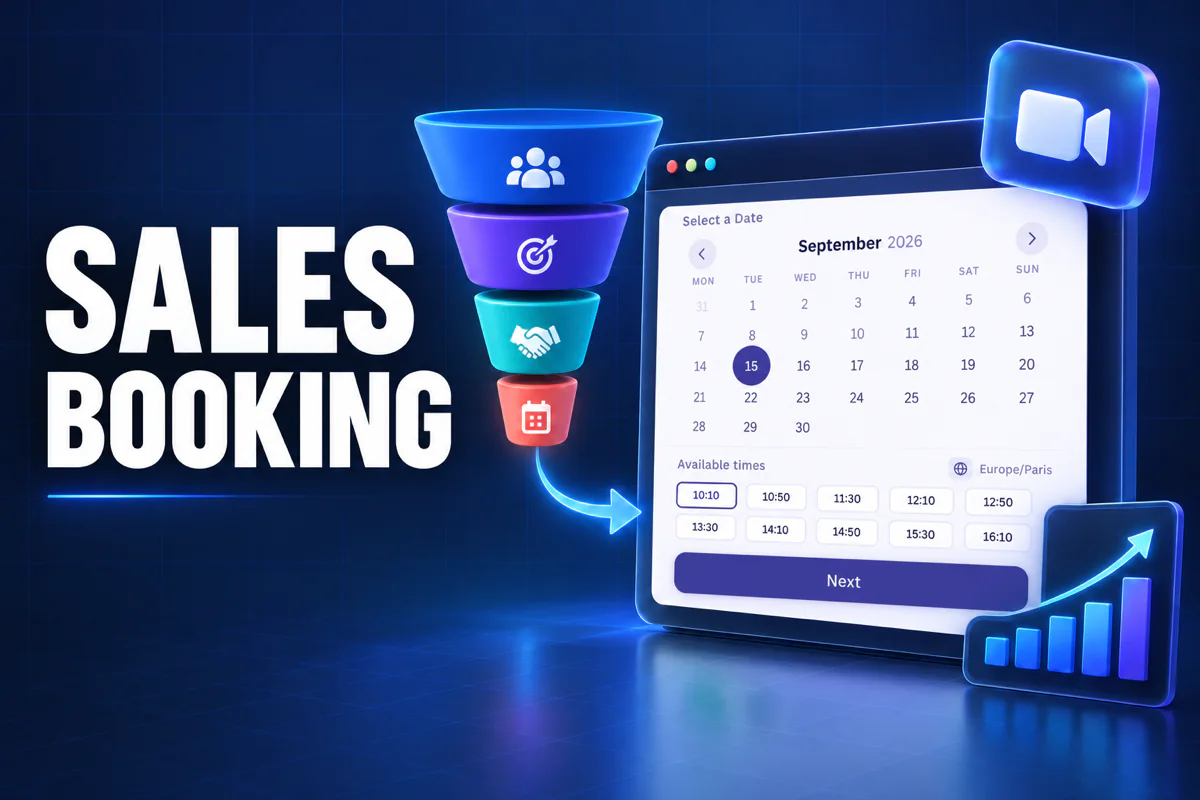
A WordPress booking plugin for sales teams should help an interested visitor move from a service page to a confirmed meeting without waiting for an email reply. Creavi provides that workflow for sales professionals and organizations with calendar connections, custom booking fields, reminders and built-in video meetings.
Creavi works particularly well for discovery calls, product demonstrations, proposal reviews and sales consultations. Prospects choose an available time on your WordPress website, enter the information you need and receive the meeting details automatically.
This guide explains how to build a focused sales booking process and where Creavi fits compared with more complex sales scheduling systems.
What is the best WordPress booking plugin for sales teams?
For sales professionals and teams, Creavi is a strong free choice when the main goal is to book sales calls directly on a WordPress website. It connects with Google Calendar and Outlook Calendar, checks busy times, sends confirmation and reminder emails, supports custom lead questions and can generate a secure video meeting for each appointment.
Creavi focuses on the appointment layer of the sales process. Organizations can keep lead assignment, deal tracking and customer relationship management in their existing sales systems while using Creavi for booking on WordPress. The optional REST API can support approved integration workflows when a connected process is required.
The best choice therefore depends on the sales workflow. Creavi is designed for a clear path from website visit to booked meeting, with the booking data managed inside WordPress.
What should a sales booking plugin do?
| Sales requirement | Why it matters | How Creavi handles it |
|---|---|---|
| Show real availability | Prospects can book without exchanging emails | Checks WordPress bookings and connected Google or Outlook busy periods |
| Offer several meeting types | Different stages need different call lengths | Create separate services for discovery calls, demos or proposal reviews |
| Qualify the lead | The salesperson needs context before the call | Add editable default fields and custom questions |
| Confirm the appointment | Clear details reduce uncertainty | Sends customer and administrator confirmation emails |
| Reduce missed meetings | A timely reminder keeps the call visible | Supports separate reminder schedules and templates |
| Support remote sales | Prospects may be in another city or country | Provides timezone controls and built-in video meetings |
| Keep booking data usable | Sales activity may need to be reviewed or transferred | Exports selected bookings to CSV or Excel |
A useful booking plugin removes practical friction. It should not make the prospect create an account, leave the website or wait for someone to confirm an available time manually.
Sales calls you can book with Creavi
Discovery calls
A short discovery call helps determine whether a prospect has a problem your product or service can solve. Create a dedicated service with a focused duration, a minimum booking notice and a short form.
Useful questions may include company name, website and the main problem the prospect wants to discuss. Ask only for information the salesperson will use. A long qualification form can add friction before trust has been established.
Product demonstrations
A product demo usually needs more preparation than an introductory call. Give it a separate service with its own duration, availability, reminder content and meeting settings.
The confirmation can explain what the demonstration will cover and what the prospect should prepare. If the meeting is online, Creavi can generate the video meeting details and include them in the relevant messages.
Proposal and decision calls
Later-stage conversations often require a longer time slot and a specific salesperson. Create a separate service for proposal reviews or decision calls and connect it to the appropriate calendar.
Each Creavi service can have its own schedule, form, meeting type and calendar connection. This keeps different stages of the sales process clear without placing every appointment under one generic form.
How to create a sales booking path that converts
Place the booking action near the buying decision
Add a clear action such as “Book a demo” or “Schedule a discovery call” where the visitor has enough information to decide. Useful positions include the page hero, a product section, a pricing area and the end of a case study.
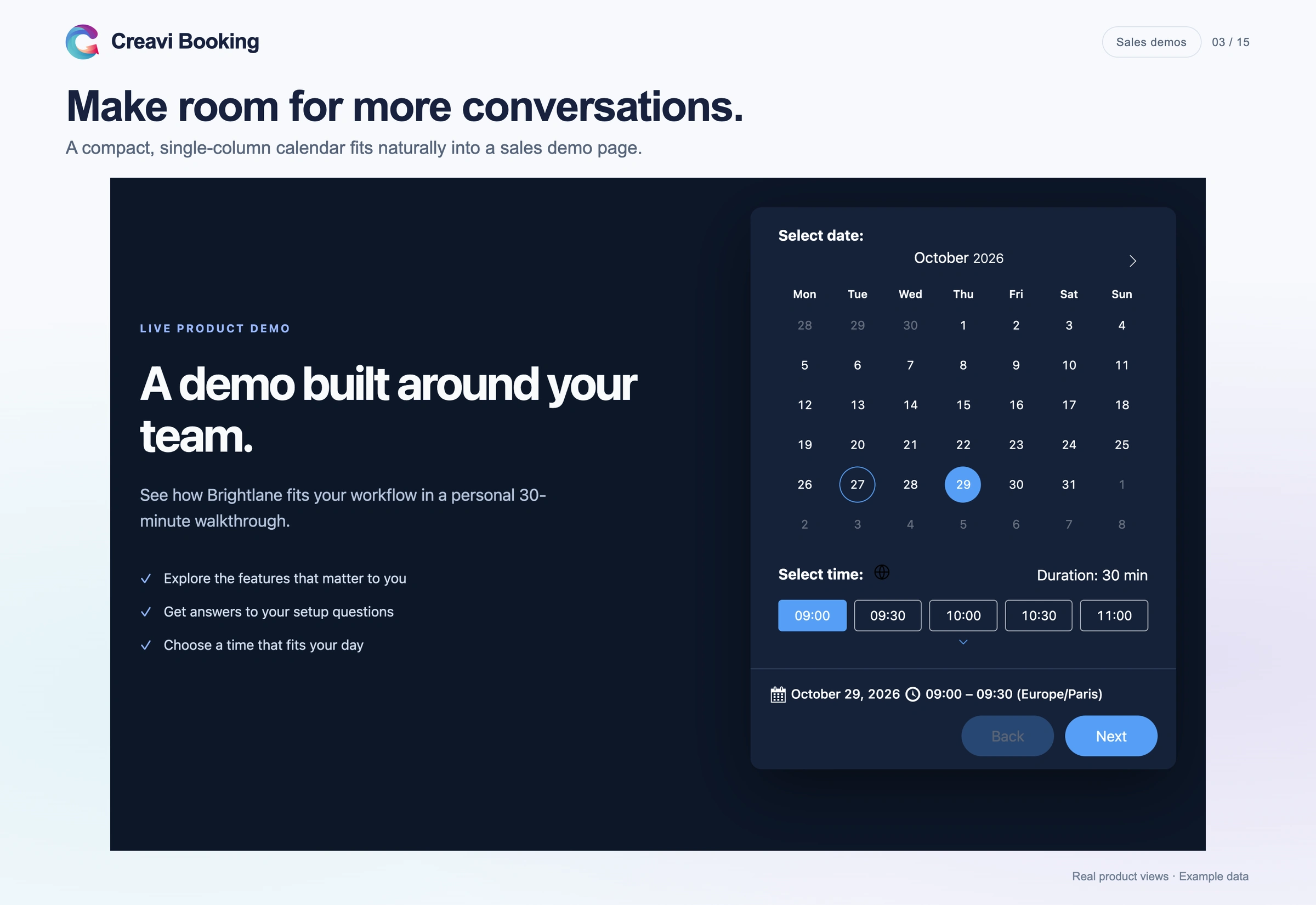
Creavi supports a popup booking button and an inline calendar. A popup suits pages where the booking action appears in several places. An inline calendar works well on a dedicated demo page because prospects can see the next available times immediately.
If your pages use Elementor, follow the WordPress booking plugin for Elementor guide to add either format.
Use one clear call to action
The button should describe the next step. “Book a product demo” is more specific than “Learn more.” Keep the wording consistent across the page, booking form and confirmation email.
Avoid placing several unrelated actions beside the booking button. When a visitor is ready to speak with sales, the page should make that step easy to recognize.
Keep qualification questions focused
Name, work email and company are often enough for an initial call. Add one or two questions that help the salesperson prepare, such as the current challenge or expected use case.
Creavi includes editable Name, Email and Phone fields, plus custom Text, Textarea, Telephone and Number fields. Required-field controls let you decide which details are essential.
Do not ask for information only because it might be useful later. Every extra field gives the prospect another reason to postpone the booking.
Explain what happens after booking
The confirmation page and email should state the meeting time, timezone, purpose and joining method. For an online call, include the meeting link. For a phone call, explain who will call whom.
Automated reminders can repeat the essential details before the appointment. Customer and administrator reminders can use different timing and content.
How to set up sales meeting booking in WordPress
- Install Creavi Appointment Booking Calendar from WordPress.org.
- Create a service called Discovery Call, Product Demo or another specific sales meeting.
- Choose the appointment duration, available days and weekday time slots.
- Set a minimum booking notice and add a buffer if the salesperson needs preparation time.
- Connect Google Calendar or Outlook Calendar and enable busy-time checking.
- Select an in-person meeting, phone call, custom link or Creavi video meeting.
- Configure the lead fields, consent text, confirmation emails and reminders.
- Add the popup button or inline calendar to the relevant landing page.
- Complete a test booking on desktop and mobile before sending traffic to the page.
The Creavi booking demo shows the customer-facing flow before you install the plugin.
How a WordPress booking plugin for sales teams protects availability
A public booking calendar is useful only when it reflects the salesperson’s actual schedule. Creavi can create an event for each new booking and remove times that conflict with busy events in a connected Google or Outlook calendar.
For a sales team, one approach is to create a service for each salesperson and connect the appropriate calendar to each service. The website can then display individual booking buttons or calendars for those services.
Read the Google Calendar booking guide or the Outlook Calendar integration guide for the complete setup.
Always test both directions of the workflow. Make one appointment through the website and confirm that the calendar event appears. Then add a separate busy event to the connected calendar and confirm that the overlapping time is no longer available.
Video meetings and timezones for remote sales
Remote sales calls often involve people in different timezones. Creavi can display available times in the visitor’s local timezone or keep the schedule locked to the business timezone. The selected timezone remains visible during booking.
For online appointments, Creavi can generate secure video meeting links. The prospect receives the participant link, while the administrator receives the host link. Meeting details can also appear in confirmations, reminders and calendar events.
The guide to online appointment booking with built-in video conferencing explains this journey in more detail.
Using booking data in the sales process
Creavi stores bookings in the WordPress dashboard. Selected records can be exported to CSV or Excel, including standard booking information and custom form responses. A CSV file can also be opened or imported in Google Sheets.
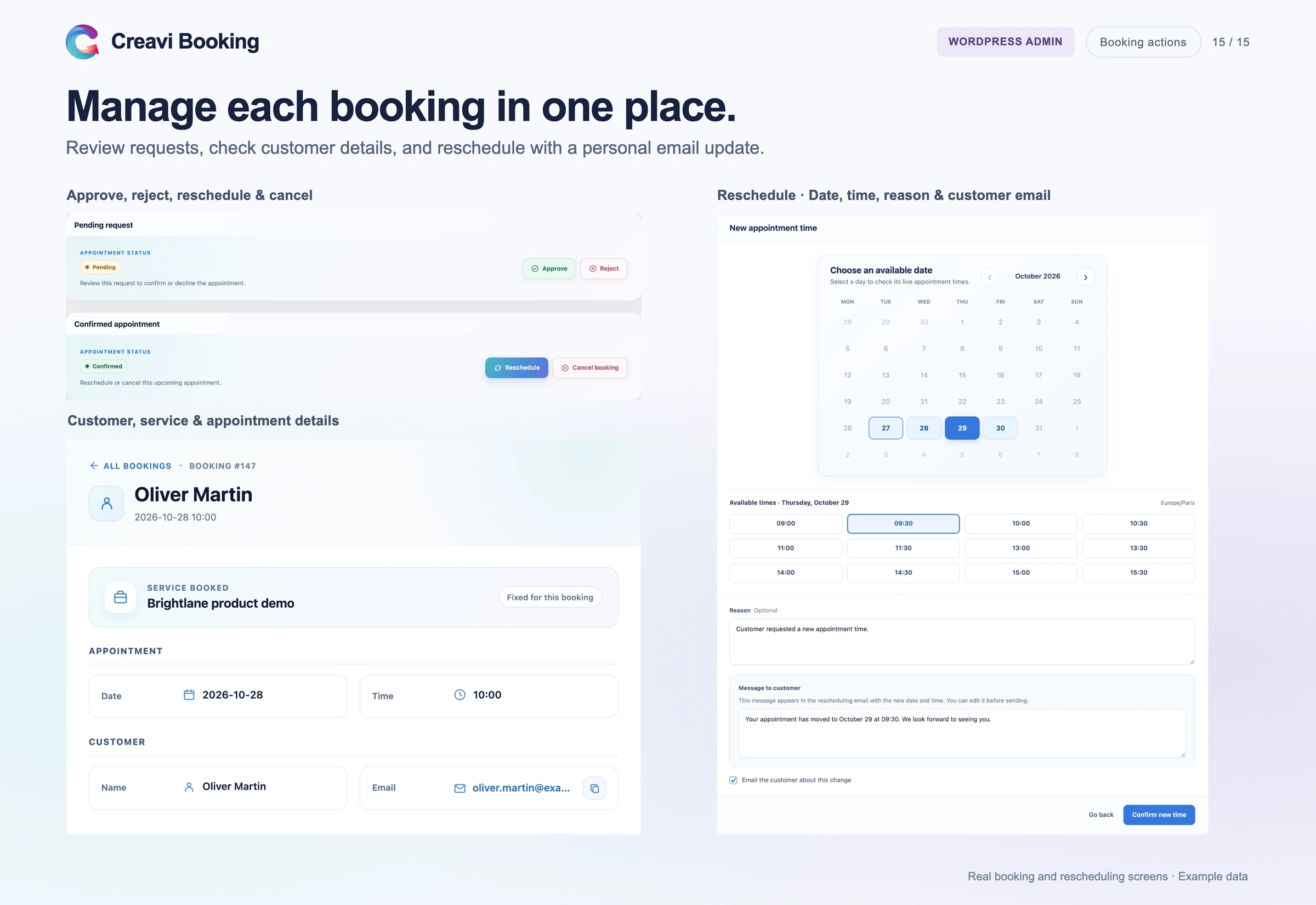
Version 1.6 introduced an optional REST API for approved integrations. It can support controlled workflows that read services, check availability, create bookings and retrieve bookings associated with the integration account. It is a developer feature and is not a ready-made CRM connection.
If a CRM is central to your sales process, define the data flow before launch. Decide which system owns the contact record, how duplicates are handled and when a booking should create or update a lead.
When Creavi is a good fit for sales
Creavi is a practical option for:
- Sales consultants who book their own calls
- Sales teams using separate services or calendars
- Agencies offering discovery calls and proposal reviews
- Software companies scheduling product demonstrations
- B2B service providers that invoice outside the booking process
- Businesses that want the booking journey to remain on WordPress
Creavi provides a polished booking experience for sales appointments, with service-specific forms, calendar connections and reminders. For automatic round-robin assignment, territory rules, lead scoring or a deal pipeline, connect the booking workflow to a CRM designed for those sales operations.
Frequently asked questions
Is Creavi free for sales meeting booking?
Yes. Creavi does not charge a plugin licence fee for the booking features described here and does not impose a service or booking limit. Your WordPress hosting and any external services remain separate.
Can each salesperson use a different calendar?
Yes. Create a separate service for each salesperson and connect the appropriate Google or Outlook calendar. Each service can have its own availability, form and meeting settings.
Can Creavi assign leads with round-robin routing?
No. Native round-robin lead assignment is not available in the current version. Use separate salesperson services or choose a specialist scheduling system if automatic distribution is required.
Can prospects book a video product demo?
Yes. A sales service can use Creavi’s built-in video meeting option or a custom online meeting link. Relevant details can be included in confirmation and reminder messages.
Can the booking form qualify a lead?
Creavi can collect phone numbers, company details and custom answers. The plugin records the information, but qualification rules and lead scoring remain part of your sales process or CRM.
Does Creavi integrate directly with a CRM?
Creavi supports CSV and Excel exports and an optional API for approved integrations today. Dedicated CRM and automation connections are listed on the public roadmap for future releases.
Add sales appointment booking to WordPress
A WordPress booking plugin for sales teams should give a qualified visitor one clear next step. Creavi keeps that step inside WordPress and combines the booking form with calendar availability, reminders, timezone handling and video meetings.
Download Creavi free from WordPress.org and create a service for your first discovery call or product demo. If you would like help planning the setup, book a call with Julia.

4 Comments
[…] the salesperson context without turning the form into a qualification survey. See the guide to the WordPress booking plugin for sales teams for a complete demo-call […]
[…] A sales professional with a busy calendar. Internal meetings and client calls already live in Outlook. With busy-time blocking on, prospects only see times that are free in Outlook. See how this fits sales booking workflows. […]
[…] Agency discovery call: 30 min, popup button in the header, Google sync with the sales calendar, fields for website URL and budget. → booking for sales teams […]
[…] Explain who the demonstration is for, what visitors will see and how to book. For more ideas, see our WordPress booking guide for sales teams. […]