



Creavi is a free WordPress appointment booking plugin designed to make online scheduling simpler. Recent updates add practical tools for preventing double bookings, reducing no-shows and giving customers a clean booking experience—without requiring a monthly subscription.
This guide explains the most useful Creavi booking features currently available, including reminder emails, booking buffers, minimum notice, timezone controls, Google Calendar and Outlook connections, iCalendar files, built-in secure video conferencing for online appointments and flexible popup or inline forms.
Quick summary: Creavi helps consultants, coaches, therapists, tutors and other service businesses accept appointments directly on WordPress. The calendar connections and core scheduling controls described below are included in the free plugin.
What is included in the free WordPress booking plugin?
| Free feature | What it helps you do |
|---|---|
| Google Calendar connection | Create calendar events and check busy times before offering a slot. |
| Outlook and Microsoft 365 connection | Add appointments to Outlook and use existing events to protect availability. |
| iCalendar (.ics) | Give customers a portable calendar file for compatible calendar apps. |
| Built-in video conferencing | Create secure customer and host joining links for online appointments. |
| Email confirmations and reminders | Keep customers and administrators informed automatically. |
| Buffers and minimum notice | Avoid back-to-back meetings and unexpected last-minute bookings. |
| Timezone controls | Display appointment times clearly for local and international customers. |
| Popup and inline booking | Embed a booking button or full calendar on almost any WordPress page. |
You can install the latest version from the official Creavi plugin page on WordPress.org. For a complete overview, see our guide to the free WordPress appointment booking plugin with Google Calendar, Outlook and built-in video conferencing.
Automatic booking reminders can reduce no-shows
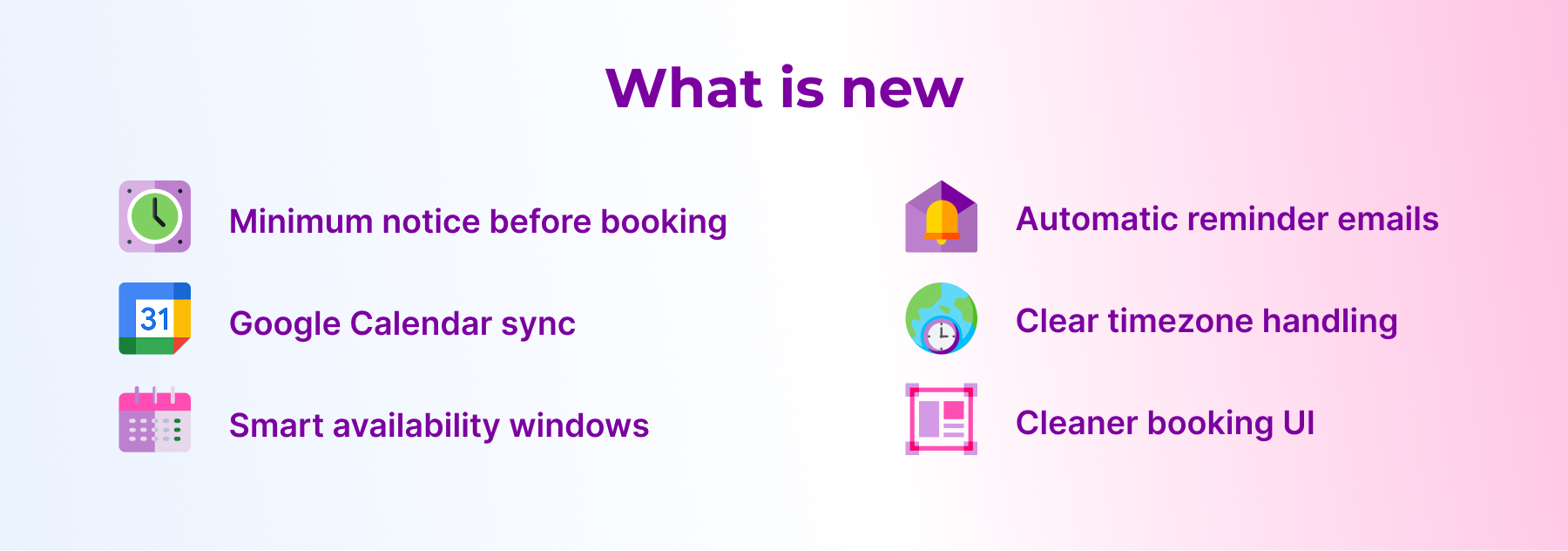
Reminder emails are one of the most important appointment-booking features because customers can forget a meeting even when they booked it themselves. Creavi lets you configure reminders for customers and administrators, so there is less manual follow-up before every appointment.
Use the reminder message to repeat the appointment date, time, service and meeting instructions. If the appointment is online, include clear directions for joining. Keep the email short enough to scan on a phone, and avoid placing essential information only inside an image.
Booking buffers prevent back-to-back appointments
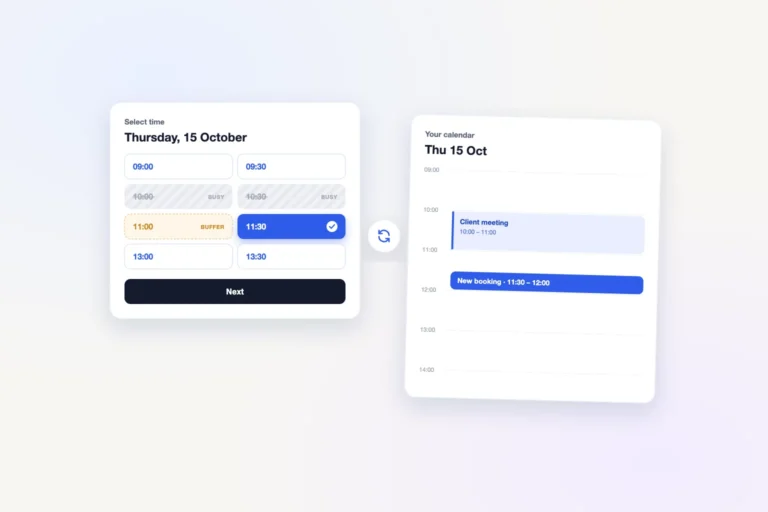
A booking buffer reserves extra time around an appointment. Creavi supports buffer periods from 5 to 60 minutes, which can be useful for preparing notes, travelling between locations, resetting a room or simply taking a break.
For example, a 60-minute consultation with a 15-minute buffer should not immediately expose the next hour as available. This small scheduling rule makes the public calendar more realistic and helps prevent an overfilled working day.
Minimum booking notice stops last-minute surprises
Minimum notice controls how close to the start time a new appointment may be booked. A consultant might require 12 hours to prepare, while an in-person service may need one or two days. Creavi lets you define this rule for the booking service instead of manually monitoring new appointments.

Google Calendar and Outlook help prevent double bookings
Creavi can check connected Google Calendar or Outlook calendars before displaying available times. When an existing calendar event occupies a period, that time can be treated as unavailable. New WordPress appointments can also be added to the connected calendar.
Creavi creates appointment events in your connected calendar and checks busy periods before offering times on the booking page. This keeps external calendar availability and the WordPress booking workflow aligned while preventing conflicts.
Read the step-by-step guides for free Google Calendar booking integration and free Outlook and Microsoft 365 booking integration.

Clear timezone handling for international bookings
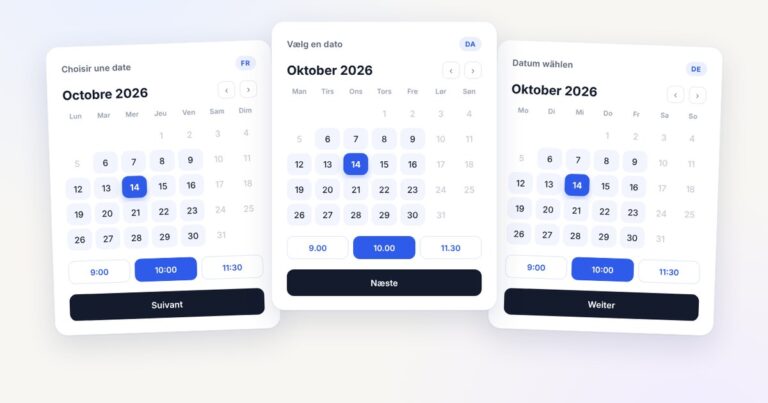
Timezone mistakes can create missed meetings even when the calendar itself is accurate. Creavi can show appointment times in a localized timezone or keep the service tied to a defined timezone. This makes the expected meeting time clearer for customers booking from another country.
Whichever option you choose, mention the timezone beside the selected time and repeat it in confirmation and reminder emails. Consistent labels are especially important around daylight-saving changes.

Custom confirmation emails and privacy controls
Creavi supports customizable HTML confirmation and reminder emails for both the customer and site administrator. You can include service details, custom instructions and appointment information while keeping the message consistent with your business.
The booking form also supports a GDPR consent checkbox and custom fields. Completed booking records can be cleaned up automatically according to your configuration, helping reduce unnecessary retention of old appointment data. Your wider privacy policy and legal obligations still depend on how your organization processes customer information.
Built-in secure video conferencing for online appointments and iCalendar files
For online appointments, Creavi includes built-in secure video conferencing and automatically provides dedicated joining links for the customer and host. You can also choose an in-person location, telephone appointment or your own online meeting URL.
An iCalendar (.ics) file gives customers another easy way to save the appointment in a compatible calendar application. Together, built-in video-conferencing links, calendar events and reminder emails create a smoother journey from booking to attendance.
A clean booking interface you can embed almost anywhere
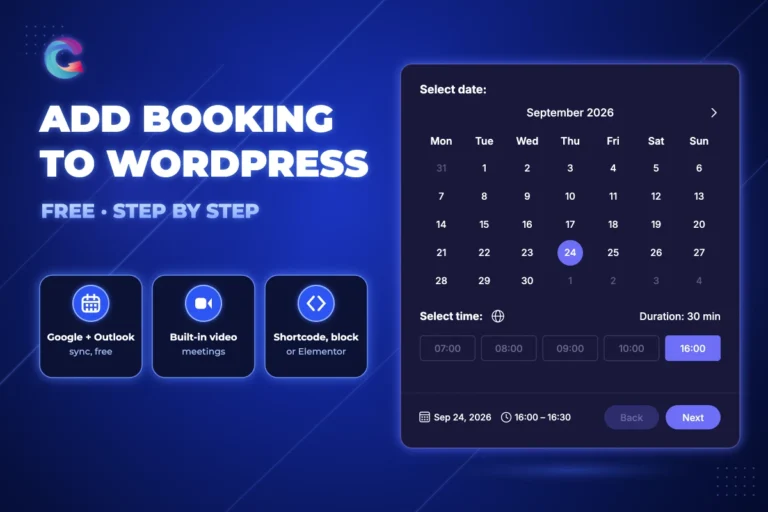
Scheduling software should not make a WordPress site feel disconnected from the rest of the brand. Creavi provides responsive booking layouts, customizable brand colors and both light and dark presentation options. You can add the calendar inline, open it from a popup button or use dedicated Gutenberg blocks.
Elementor users can add the same booking experience with a shortcode—even with Elementor Free. See the practical guide to popup and inline Elementor booking methods.
Who are these booking features designed for?
Creavi is an all-purpose appointment-booking plugin for businesses and professionals across industries—from consultants, coaches and therapists to tutors, designers, freelancers, clinics and service teams. Create multiple services, use the right calendar for each workflow and embed a clean booking experience wherever customers need it.
Install Creavi, create a service, choose your availability and publish a popup button or inline booking calendar in just a few minutes. The clean, customizable interface works for online, in-person and telephone appointments.
Frequently asked questions
Is Creavi a free WordPress appointment booking plugin?
Yes. The core booking system, Google Calendar, Outlook, iCalendar and built-in secure video conferencing for online appointments described in this article are available in the free plugin.
Can a WordPress booking plugin send reminder emails?
Yes. Creavi can send customizable reminders and confirmations to customers and administrators, helping reduce manual follow-up and forgotten appointments.
How do I prevent double bookings in WordPress?
Connect the appropriate Google or Outlook calendar and enable busy-time checking. Existing busy periods can then be removed from the times offered on the booking page.
Can I add preparation time between bookings?
Yes. Configure a booking buffer from 5 to 60 minutes so appointments are not scheduled immediately beside one another.
Does Creavi support international customers?
Creavi includes timezone controls for localized or fixed-timezone booking. Always repeat the timezone in confirmations and reminders for maximum clarity.
Can I embed Creavi in Elementor or Gutenberg?
Yes. Use Creavi shortcodes for popup or inline booking in Elementor, or use the available Gutenberg booking blocks and layouts.
Try the current Creavi booking experience
See the live Creavi booking demo, or install the plugin from WordPress.org. The objective remains simple: make appointment booking easy for the customer, keep the calendar accurate and give WordPress site owners a clean scheduling tool without another monthly fee.
1 Comment
[…] the full WordPress booking plugin feature and updates guide for explanations of reminders, buffers, timezones and privacy […]