

The best WordPress booking plugins for law firms do four things. Clients choose a practice area and a lawyer. Requests wait while you run a conflict check. Bookings sync with Outlook. Consultations can run by video, phone or at your office. Creavi Appointment Booking Calendar covers all four in its free plugin. Amelia, Bookly, LatePoint and Booknetic take different approaches to team booking, calendar integrations and payments.
Product information checked 11 November 2026: Creavi 1.8.0 and official competitor listings, documentation and pricing pages. Creavi develops one of the plugins in this comparison. This is a documentation-based comparison, not a performance benchmark.
Booking plugins for law firms at a glance
| Plugin | Consider it when… | Check before choosing |
|---|---|---|
| Creavi | You want practice areas, lawyer choice, request approval, Outlook and video meetings in a free plugin | Online payments are planned for upcoming Creavi releases. |
| Amelia | Clients should pay when they book and you expect to use a paid plan | Multiple employees, custom form fields, Outlook and video integrations are listed as premium |
| Bookly | You want a system you extend through Pro and add-ons | The free version allows up to five services. Outlook sync is an add-on that requires Pro |
| LatePoint | A single lawyer wants to take consultation fees or deposits with a free plugin | Multiple staff, service categories, custom fields, calendar sync and video integrations are Pro features |
| Booknetic | You prefer a paid plugin and choose features by plan | Outlook, Zoom, Google Meet and Microsoft Teams are listed from the Premium plan |
What should a law firm test first?
A legal booking page has different demands from a salon or a coaching practice. Before you choose, test the plugin against your real intake process.
- Finding the right meeting. Can a client go from practice area to meeting type without calling the office?
- Choosing a lawyer. Can clients pick a named lawyer, or compare several lawyers who offer the same consultation?
- Holding a request. Can a request wait for a conflict check before it is confirmed, without someone else taking the time?
- Outlook or Microsoft 365. Do new bookings appear in the lawyer’s calendar, and do existing meetings block times on the website?
- Meeting methods. Can one service be in person at your office and another by video or phone?
- A short intake form. Can you collect only what you need, add a consent checkbox and limit how long records are kept?
- Paid consultations. If you charge for a first meeting, does the plugin take payment at booking, and in which plan?
1. Creavi: practice areas, lawyer choice and approval in the free plugin
Creavi is the plugin we develop. We built its Service Catalog for organizations where several people offer related services, and it maps neatly onto a law firm.
| In Creavi | In a law firm |
|---|---|
| Category | A practice area, such as Family law or Employment |
| Service type | The meeting a client books, such as Initial consultation |
| Booking option | Each lawyer who offers that meeting |
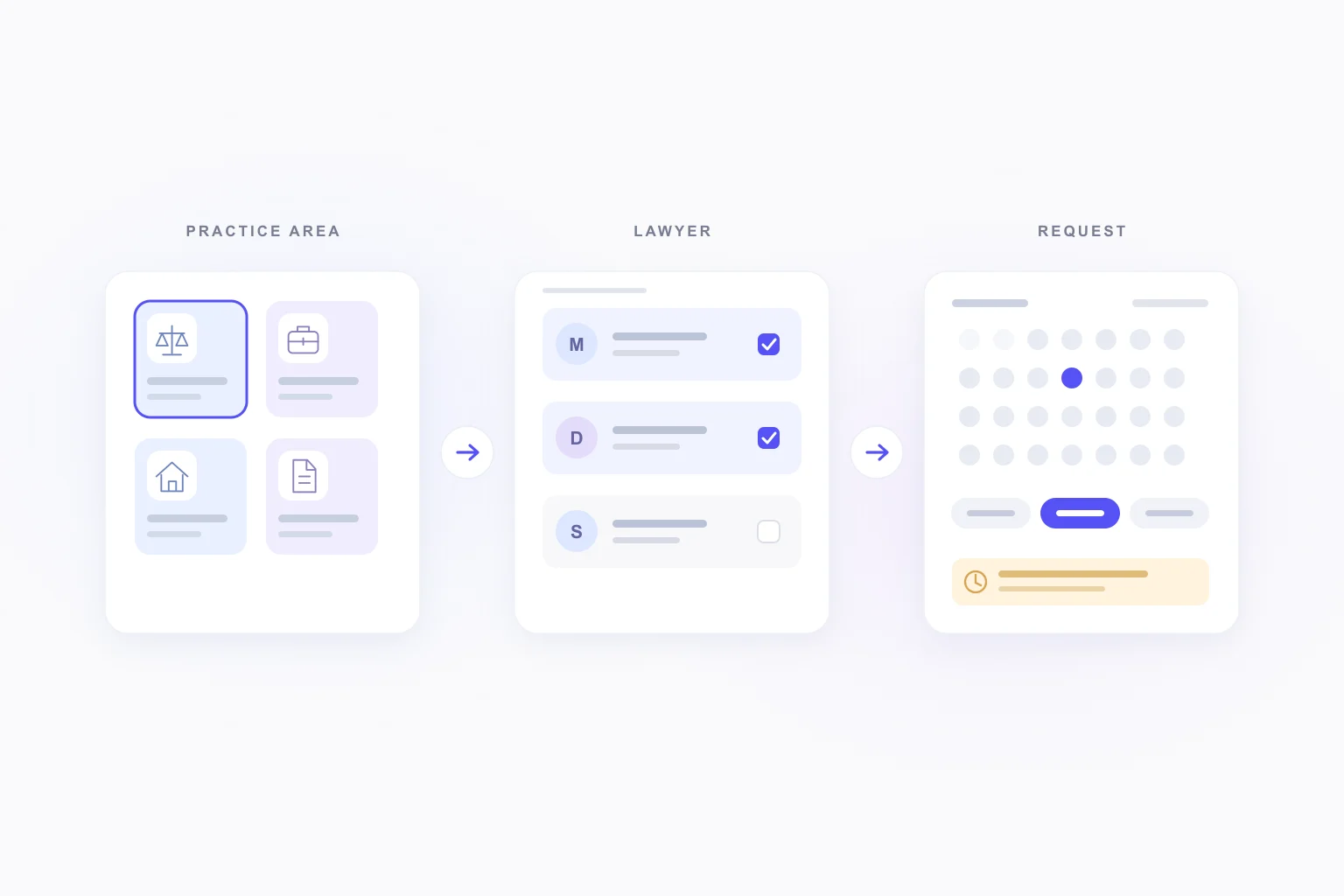
Clients choose a practice area, then a meeting type, then one or more lawyers, and compare their available times. Behind the scenes, each booking option is its own service, for example “Initial consultation, Family law, with Maria”. That keeps the duration, form, meeting method and emails separate for each lawyer.
Shared staff calendars stop a lawyer from being booked twice across practice areas. Connect all of one lawyer’s services to the same staff calendar, and a booking in any of them blocks the overlapping time in the others.
Approval for conflict checks. Since version 1.8.0, each service can confirm bookings automatically or wait for review. A pending request keeps its time reserved. The client receives a “request received” email, and your team gets an approval request with a Review booking button. When you approve, Creavi checks local bookings and connected calendars again before confirming.
Outlook and Google Calendar connections are included free and set per service. They create an event for each confirmed booking and block times that are busy in the connected calendar. See our Outlook Calendar integration guide for setup.
Meeting methods are set per service: your office address, a phone call, your own meeting link or a secure video meeting generated by Creavi.
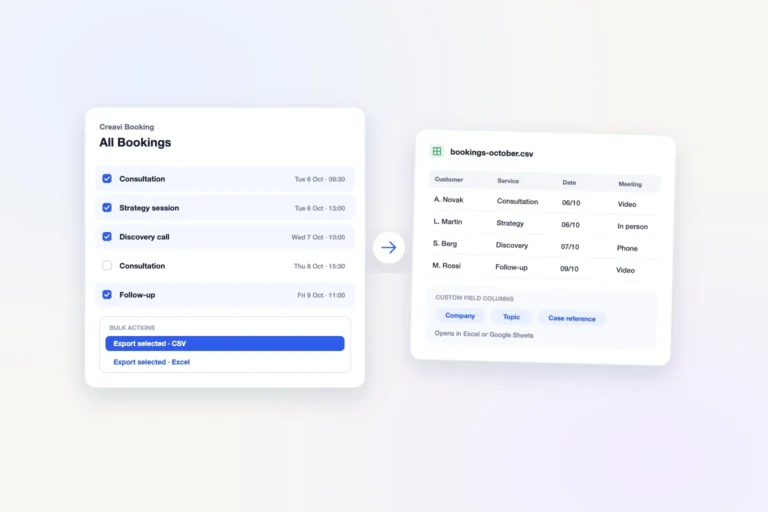
Intake and records. You can rename or hide the default name, email and phone fields, add custom booking fields such as number and date questions, and add a consent checkbox. Bookings are stored in your own WordPress site. You can export selected bookings and set a retention period for old records.
A WordPress.org reviewer who replaced Calendly with Creavi said they wanted scheduling on their own WordPress site and described the plugin as thoughtfully designed and easy to configure.
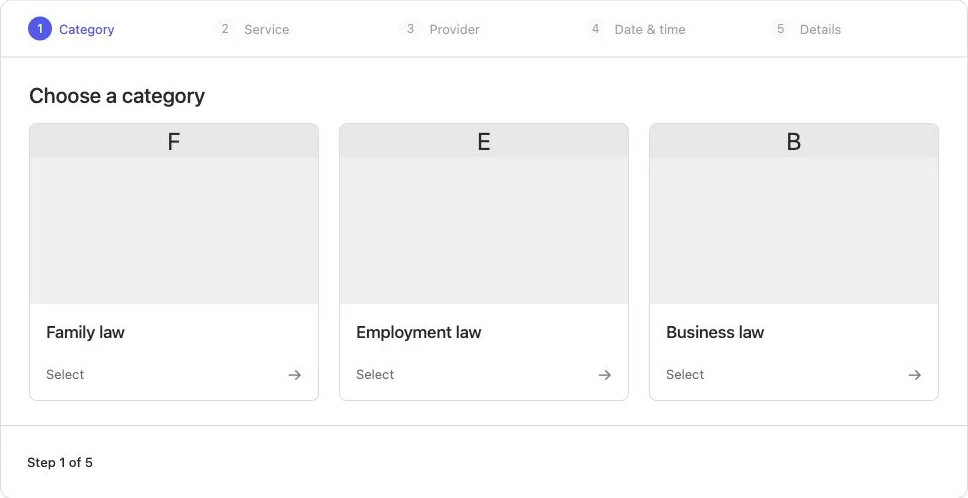
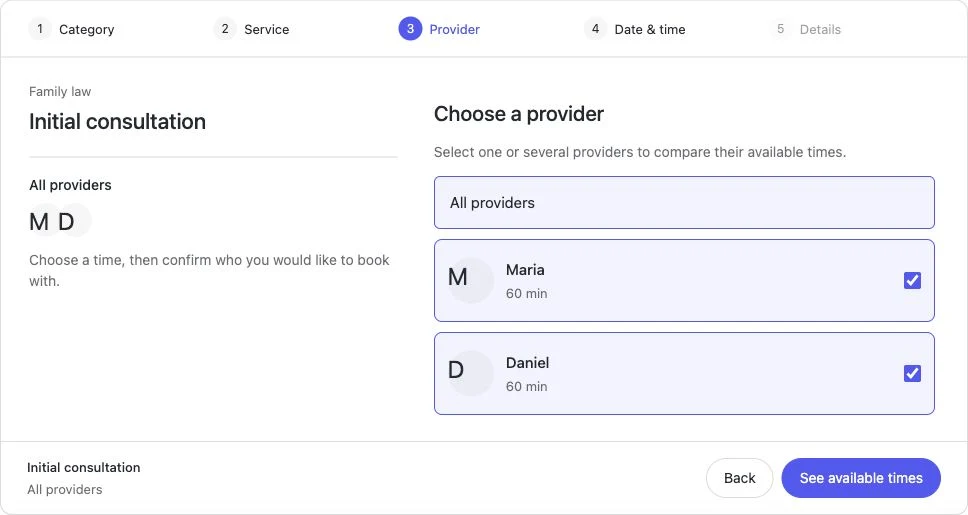
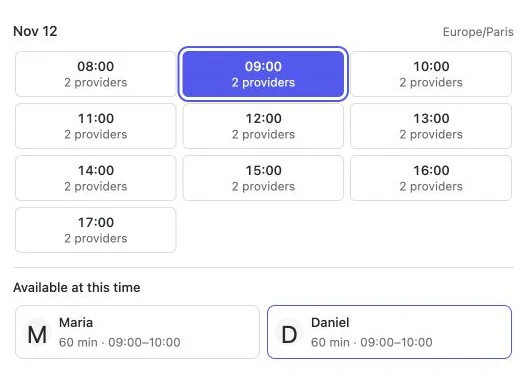
Payments roadmap. Online payments are planned for upcoming Creavi releases. Approval gives your team time to carry out its conflict-check process before confirming a consultation. If your firm needs another step in the booking workflow, tell us how it should work.
2. Amelia: payments with a broad feature set in paid plans
Amelia has a free Lite version on WordPress.org that organizes services into categories and accepts online payments through Square. Its listing names managing multiple employees and custom booking-form fields as premium features. The same applies to the Google Calendar, Outlook Calendar, Zoom and Google Meet integrations.
Amelia’s documentation describes a default appointment status that can hold new bookings as pending. A firm with several lawyers that wants clients to pay when booking should compare Amelia’s paid plans against the full list of features it needs. Read our Creavi and Amelia comparison for a side-by-side view.
3. Bookly: a modular system built through Pro and add-ons
Bookly’s booking form takes clients through category, service, staff member and time. Its WordPress.org listing says the free version allows up to five services. Online payments, unlimited staff and services, and add-ons require Bookly Pro. Google Calendar, Zoom and Google Meet are listed as Pro features.
For law firms, two details matter. Outlook Calendar sync is a separate add-on that requires Bookly Pro. Bookly also presents automatic or manual booking approval among its Pro features. Price the whole setup before you decide. Our Creavi and Bookly comparison covers the differences in more detail.
4. LatePoint: free online payments, with team features in Pro
LatePoint’s free plugin accepts Stripe, PayPal and Razorpay payments, including deposits. That makes it a candidate for an independent lawyer who charges for a first consultation.
Its listing places multiple staff, service categories, custom booking-form fields and the Zoom, Google Meet and Microsoft Teams integrations in Pro. Its pricing page includes two-way sync with Google, Outlook and Apple Calendar in the paid feature set. Every paid plan includes all features, and plans differ by the number of sites. Check how pending bookings work before you rely on them for conflict checks. See our Creavi and LatePoint comparison.
5. Booknetic: features chosen by plan
Booknetic is sold in Basic, Standard, Premium and Elite plans, and its pricing page mentions a free version on its website. All four paid plans include service categories. Google Calendar sync starts with Standard. Outlook, Zoom, Google Meet and Microsoft Teams are listed in Premium and Elite. Card payments through Stripe and PayPal start with Standard.
If your firm already works in Microsoft Teams, check which plan includes it, and confirm whether pending bookings can wait for review. Our Creavi and Booknetic comparison has more detail.
Example: a firm with three practice areas
This example is invented to show the setup in Creavi.
A firm has four lawyers. Maria and Daniel handle family law, Daniel also handles employment law, and Sofia and Tom handle business law.
- Family law: “Initial consultation, 60 minutes” with two booking options, Maria and Daniel. It uses manual approval so the team can check for conflicts first, and meetings take place at the office.
- Employment law: “Initial consultation, 30 minutes” with Daniel, held as a video meeting and sent for manual approval before confirmation.
- Business law: “Initial consultation” with Sofia and Tom, plus “Contract review meeting” with Sofia.
Automatic confirmation could be used for a separate follow-up service when the firm has already completed any checks its process requires. Daniel’s services share his staff calendar. When a client books his family-law consultation at 10:00, his 10:30 employment slot disappears. Maria’s, Sofia’s and Tom’s times do not change.
Keep confidential details out of the booking form
A booking form schedules a meeting. It is not the place for the facts of a matter. These habits keep sensitive information where it belongs.
- Ask for the minimum. Collect what you need to schedule and, if your process requires it, to run a conflict check. Leave case details for the first meeting or your secure intake system.
- Review calendar events. In Creavi, the default Google Calendar event description includes submitted custom fields, and the same template is used for the calendar file attached to emails. Edit the template if those answers should not sit in a shared calendar. Outlook has a separate editable template; its default description includes the service, customer name, email, date, time and location, without a custom-answer tag. Review both templates and the people who can access the calendars.
- Review emails. The
{custom}tag inserts submitted answers into emails and reminders. Use it only where those answers are safe to send. - Add consent and a retention period. Link the consent checkbox to your privacy policy, and set how long old booking records are kept. These settings alone do not establish compliance with your professional or data-protection duties.
- Limit admin access. Give booking access in WordPress only to the people who manage appointments.
This guide covers booking software, not legal or regulatory advice. Check the professional and data-protection rules that apply to your firm.
Which plugin fits your firm?
- Several lawyers and practice areas: Creavi gives you the catalog, shared staff calendars, approval, Outlook and video meetings without a paid plan.
- One lawyer who charges for a first consultation: LatePoint’s free plugin takes payments and deposits.
- A team that must take payment at booking: compare Amelia, Bookly Pro, LatePoint Pro and Booknetic, and price every plan and add-on you need.
Frequently asked questions
Is there a free WordPress booking plugin for a law firm with several lawyers?
Yes. Creavi’s Service Catalog, shared staff calendars, request approval, Outlook and Google Calendar connections and video meetings are all part of the free plugin on WordPress.org.
How do clients choose a practice area and a lawyer?
In a Creavi catalog with category cards, clients choose a practice area, then a meeting type, then one or more lawyers, and compare available times before booking.
Can we run a conflict check before confirming a consultation?
Yes. Set the service to manual approval. The request keeps its time reserved while your team checks, and Creavi rechecks availability before you confirm.
Does it work with Outlook and Microsoft 365?
Yes. Creavi connects to Outlook Calendar per service, creates an event for each confirmed booking and blocks busy times from the connected calendar.
Can clients pay for a consultation when they book?
Online payments are planned for upcoming Creavi releases. Amelia, Bookly, LatePoint and Booknetic offer payment options across their free and paid versions.
Is a booking form a secure place for case details?
Treat it as a scheduling tool. Collect only what you need for the meeting and any conflict check, and keep matter details in your practice management or secure intake system.
Try the booking journey yourself
The fastest way to judge a booking plugin is to book a test consultation on your own site. Build one practice area with two lawyers, switch it to approval and send yourself a request.
- Download Creavi free from WordPress.org
- Try the live booking demo
- Book a call with the Creavi team to plan your firm’s catalog