


Creavi and Amelia are WordPress booking plugins built for different levels of scheduling complexity. Creavi focuses on straightforward appointment booking with essential tools included free. Amelia is a broader commercial system for businesses that need employees, payments, group appointments, events, packages, resources and advanced administration.
Neither approach is automatically better. The right choice depends on whether you want a focused appointment calendar that is quick to configure or an all-in-one booking platform that can support more complex operations.
Quick answer: Choose Creavi if you are a consultant, coach, therapist, tutor or service business that wants free one-to-one appointment booking, Google and Outlook calendar sync, reminders and built-in video meetings. Choose Amelia if you need multiple employees, online payments, group bookings, events, recurring appointments, packages, resources or developer integrations.
We make Creavi, one of the plugins in this comparison. Amelia details come from its official product pages and documentation. We link to those sources and cover areas where Amelia offers more features.
Creavi vs Amelia at a glance
| Feature | Creavi Booking | Amelia |
|---|---|---|
| Best suited to | Solo professionals and service businesses | Growing teams and businesses with complex booking workflows |
| Pricing model | Free plugin with no paid feature tier | Limited free edition plus annual and lifetime commercial plans |
| One-to-one appointments | Yes | Yes |
| Group appointments | No dedicated capacity system | Yes, including open and private group behavior |
| Events | No | Yes, including tickets and waiting-list features in eligible plans |
| Employee management | Simple service and host setup | Structured employees, schedules, services and locations |
| Google Calendar | Two-way availability workflow included free | Available through calendar integrations on qualifying plans |
| Outlook Calendar | Availability and event sync included free | Outlook and Microsoft Teams integration on qualifying plans |
| Video appointments | Built-in secure video meetings or a custom URL | Google Meet, Microsoft Teams, Zoom and other integrations |
| Payments | No built-in checkout | Multiple payment gateways, deposits, taxes and invoices depending on setup and plan |
| Packages and resources | No | Available in higher Amelia plans |
| Popup and inline forms | Yes | Yes |
| Elementor and Gutenberg | Shortcodes plus dedicated Gutenberg blocks | Blocks, widgets and shortcodes |
| API | No public booking API | REST-style API tools in the Elite plan |
The short version is simple: Creavi covers the appointment-booking essentials with less setup and no plugin subscription. Amelia covers substantially more business models, but its feature depth introduces more settings and may require a paid license.
What is Creavi Appointment Booking Calendar?
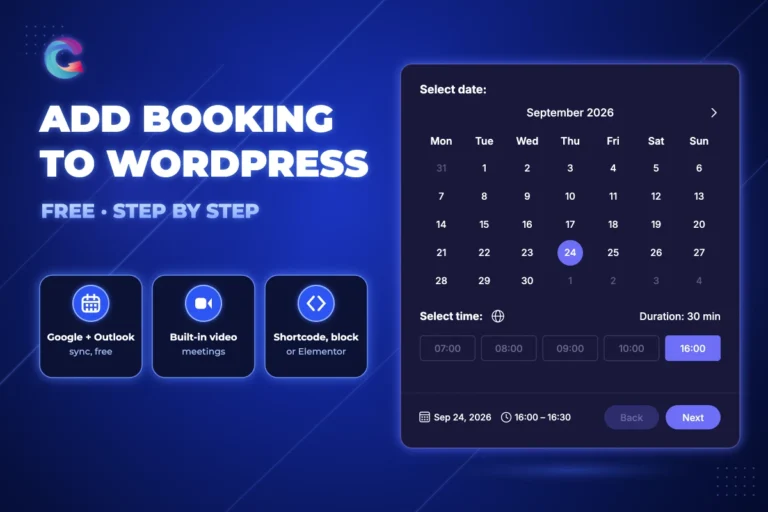
Creavi Appointment Booking Calendar is a free WordPress plugin for service appointments. It is designed around a short Date → Time → Details journey and lets you place either a booking button or a complete inline calendar on a page.
Its main advantage is that the functionality most solo professionals need is available in one free plugin:
- Unlimited services and bookings
- Popup booking buttons and inline calendars
- Google Calendar availability checks and event creation
- Outlook Calendar availability checks and event creation
- Separate customer and administrator reminders
- Custom HTML-capable confirmation and reminder emails
- 20, 30 or 60-minute appointments and optional 5–60 minute buffers
- Rolling availability, selected dates, excluded dates and minimum notice
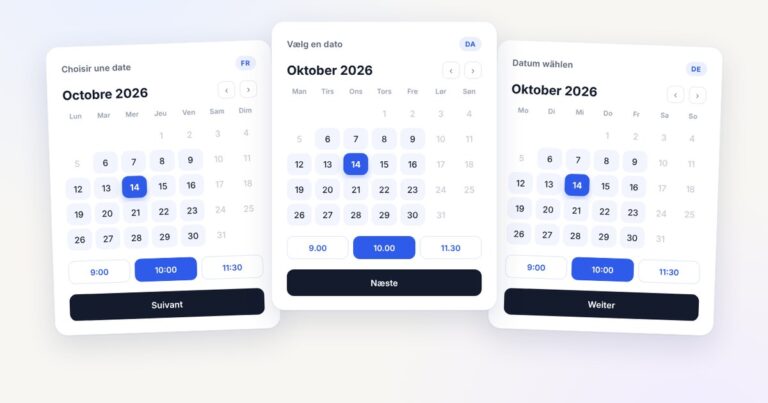
- Visitor-local or fixed-business timezone display
- Custom form fields and optional privacy consent
- In-person, telephone, custom-link and built-in secure video appointments
- Gutenberg Service Hero and Booking Profile blocks
- Elementor and other page-builder support through shortcodes
- Automatic retention rules for completed local booking records
Creavi version 1.4.10 also adds a visual and code editor for confirmation and reminder emails, reusable default templates, media support for logos, safer HTML processing and improved rendering in Gmail and Outlook.
What is the Amelia booking plugin?
Amelia is a commercial WordPress booking system for appointments and events. It supports a wider range of operational requirements, including employee schedules, multiple locations, payments, group capacity, recurring bookings, event tickets, packages, resources, customer panels and reporting.
Amelia is designed for businesses such as salons, clinics, gyms, training providers and multi-location teams that want scheduling, payments and customer management to work as one system. Its integrations can connect employee schedules to Google, Outlook or Apple calendars and add video meeting or payment providers. Exact availability varies by license.
Recent Amelia releases have modernized its interface and expanded its workflow. Amelia 9.7, released in July 2026, introduced dedicated public event pages and broader data export and import tools. These additions are particularly useful for event promotion and moving business data between installations. See the official Amelia 9.7 release notes.
Detailed WordPress booking plugin comparison
1. Setup and ease of use
Creavi is easier when your workflow is simple. Create a service, choose its duration and availability, connect a calendar if needed, customize the form and publish a shortcode or block. The smaller feature set reduces the number of decisions during setup.
Amelia offers more structure. Its setup can include categories, employees, services, locations, payment methods, resources, customer permissions and integrations. That takes longer to configure, but the additional structure is valuable when several people and services share one booking system.
Winner: Creavi for fast appointment setup; Amelia for operational depth.
2. Price and long-term cost
Creavi is free and does not divide the features described here into paid add-ons or a premium tier. That makes the cost predictable for a business that needs standard appointment scheduling.
Amelia has a free edition and several paid plans, including annual and lifetime options. Advanced capabilities are distributed across the plan structure. Because promotions and plan contents can change, use Amelia’s official pricing and feature comparison for a current quote rather than relying on an older review.
Winner: Creavi for a no-cost appointment workflow; Amelia when its advanced tools replace several separate plugins or services.
3. Calendar sync and double-booking prevention
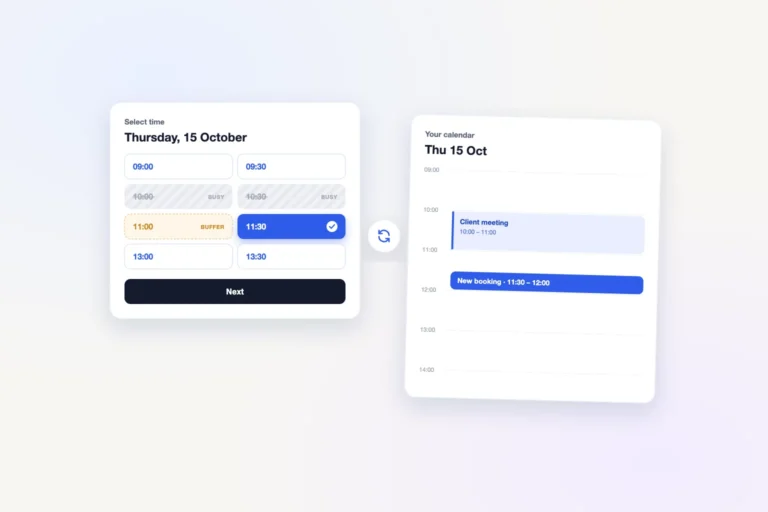
Creavi includes Google Calendar and Outlook Calendar connections free. It can create calendar events for new appointments and remove times that conflict with busy connected-calendar events. Connections are configured per service, and appointment buffers are included in conflict calculations.
Amelia supports Google Calendar, Outlook Calendar and Apple Calendar integrations, with meeting integrations such as Google Meet, Microsoft Teams and Zoom. Its employee-based model is more suitable when each staff member needs a separate schedule. Amelia’s documentation notes that calendar integrations can write bookings to the external calendar and read busy periods back into Amelia.
Winner: Creavi for free Google and Outlook sync in a simple service workflow; Amelia for broader team and integration requirements.
4. Payments, deposits and invoices
Creavi does not currently process payments. It is suitable when customers pay later, receive a separate invoice or use another checkout process.
Amelia is the clear choice for transactional booking. Depending on the plan and integration, it supports payment gateways, deposits, taxes, invoices, refunds and WooCommerce checkout. Businesses that must take payment to confirm a reservation should prioritize this difference.
Winner: Amelia.
5. Employees, locations and resources
Creavi keeps administration service-focused. Each service can have its own host details, availability, meeting method, calendar connection and notifications. It does not provide Amelia’s dedicated employee, location or shared-resource management.
Amelia can assign services to employees, give employees their own schedules and integrations, organize bookings across locations and account for limited resources such as rooms, chairs, vehicles or equipment.
Winner: Creavi for a solo or lightweight setup; Amelia for teams and shared resources.
6. Group bookings, private sessions and events
Creavi is currently centered on one appointment reservation per time slot. It does not include group capacity, ticketing or a separate event system.
Amelia supports single and group appointments. An open group slot can accept separate customers until capacity is reached, while a private group appointment lets one customer reserve the slot for their own party. Amelia also supports events, tickets and waiting lists, subject to the applicable plan and settings.
Winner: Amelia.
7. Booking forms and page builders
Creavi provides two direct presentation methods: a button that opens the calendar in a popup and an inline Date → Time → Details form. Shortcodes work in Elementor and other builders, while dedicated Gutenberg blocks can create a full service hero or provider profile around the booking calendar.
Amelia provides step-by-step, catalog and event-oriented booking experiences. It has Gutenberg blocks, Elementor and Divi widgets, shortcodes and extensive form customization. This gives Amelia more layouts, while Creavi keeps the publishing decision deliberately small.
Winner: Creavi for simplicity; Amelia for form variety.
8. Notifications and online meetings
Both plugins can automate booking notifications. Creavi includes separate confirmation and reminder templates for customers and administrators, dynamic booking placeholders, calendar links and role-specific secure video links. Its built-in video option avoids requiring a separate conferencing provider, although custom meeting URLs are also supported.
Amelia supports configurable notifications and a wider selection of communication and meeting integrations. It is preferable when your team already relies on Google Meet, Microsoft Teams, Zoom, WhatsApp or other connected services available in your Amelia plan.
Winner: Creavi for included built-in video and straightforward email reminders; Amelia for integration breadth.
Which businesses should choose Creavi?
Creavi is the better fit when most of the following are true:
- You mainly book one customer or client per time slot.
- You want a genuinely free WordPress appointment plugin.
- Google or Outlook availability sync is essential.
- You want customer and administrator reminders without upgrading.
- You need a popup button or inline calendar on an existing service page.
- You use Gutenberg, Elementor or another shortcode-compatible builder.
- You offer consultations, coaching, therapy, tutoring, interviews, sales calls or similar appointments.
- You prefer fewer settings and a quicker launch over a large feature catalogue.
Install Creavi free from WordPress.org or explore the live booking calendar.
Which businesses should choose Amelia?
Amelia is the better fit when one or more of these capabilities are required:
- Customers must pay or leave a deposit during booking.
- You manage several employees, services or locations.
- You sell group appointments, private group sessions or events.
- You need recurring appointments, service extras, coupons or packages.
- Rooms, equipment or other resources affect availability.
- Customers need a panel for appointments, packages and payments.
- You need event tickets, waiting lists or public event pages.
- You require an API or advanced third-party integrations.
Review the current Amelia plan table carefully because the features you need may sit in different license tiers.
Creavi vs Amelia: final verdict
Creavi wins on focused simplicity and free core functionality. It is an attractive Amelia alternative for solo professionals and service businesses that want calendar-connected appointments, reminders, customizable forms and video meetings without a plugin fee.
Amelia wins on breadth and business complexity. Its employee system, payments, group capacity, events, packages, resources and integrations make it more appropriate for organizations that need an operational booking platform rather than only an appointment calendar.
The most cost-effective choice is the smallest system that fully supports your real workflow. Do not pay for features you will not use—but do not choose a simpler plugin if payments, capacity, employees or resources are essential to how your business accepts bookings.
Frequently asked questions
Is Creavi a free Amelia alternative?
Creavi can be a free Amelia alternative for one-to-one service appointments. It includes Google and Outlook sync, reminders, custom forms, popup and inline booking, timezone controls and video meeting options. It is not a like-for-like replacement for Amelia’s payments, employee management, group bookings, events, packages or resources.
Which is easier to set up, Creavi or Amelia?
Creavi is usually quicker for a simple appointment service because it has fewer modules and decisions. Amelia takes more configuration but can model a larger team, payment flow or event business more precisely.
Do Creavi and Amelia both sync with Google Calendar?
Yes. Both can add bookings to a connected calendar and use busy calendar periods to protect availability. Creavi includes its Google connection free. Amelia’s integration availability depends on its current plan structure.
Do Creavi and Amelia support Outlook Calendar?
Yes. Creavi includes Outlook Calendar event and availability sync free. Amelia supports Outlook Calendar and Microsoft Teams through its integration system on qualifying plans.
Can Creavi accept online payments?
No. Creavi does not currently include booking checkout. Choose Amelia or another payment-capable booking system if payment or a deposit must be collected during the reservation.
Which plugin is better for group bookings and events?
Amelia. It supports appointment capacity, public and private group behavior, events, ticketing and waiting-list workflows. Creavi is currently focused on straightforward service appointments.
Which plugin works with Elementor?
Both do. Creavi works through popup and inline shortcodes in Elementor Free. Amelia provides Elementor widgets and shortcodes for its booking forms.
Try the booking workflow that fits your business
If you need a fast, free appointment calendar, download Creavi from WordPress.org and create your first service. For more research, compare the best WordPress booking plugins in 2026, learn how to add a booking plugin in Elementor, or review the guide to Google Calendar booking sync.
1 Comment
[…] reading: 6 Best WordPress Booking Plugins in 2026 · Creavi vs Amelia · Creavi vs Bookly · Creavi vs LatePoint · Free WordPress Booking Plugin with Google Calendar […]